xTool F2 Ultra UV Fabric Settings: Denim, Jeans, Cotton, Canvas & Felt (2026)
Sourced xTool F2 Ultra UV fabric settings for denim, jeans, cotton tees, canvas and felt, with the Studio denim preset, a starting test grid and safety tips.
20 min read
On this page
- Short answer
- Quick answer: the best starting settings
- xTool F2 Ultra UV fabric settings chart
- Other UV machines (cross-reference only, not F2 Ultra UV numbers)
- CO2 and diode numbers you should not copy
- What do the settings mean?
- Can the xTool F2 Ultra UV engrave and cut fabric?
- Which fabrics work best?
- How should I set up a fabric job?
- What I saw in the videos
- Step-by-step: engraving denim and fabric on the F2 Ultra UV
- 1. Know your fabric
- 2. Wash, iron and flatten
- 3. Focus
- 4. Prepare the art
- 5. Grid, then engrave
- 6. Finish
- What should I do if the mark looks wrong?
- Safety and aftercare
- What I couldn't confirm
- FAQ
- Can the xTool F2 Ultra UV engrave denim and jeans?
- What are the best F2 Ultra UV settings for denim?
- Can the F2 Ultra UV engrave a cotton T-shirt?
- Does UV laser engraving damage fabric?
- Can the F2 Ultra UV cut fabric and felt?
- Which fabrics should I never put in the laser?
- Why does my denim engraving have bright white spots?
- How do I wash laser-engraved jeans?
- Related guides
- Sources and further watching
Last updated: November 20, 2026
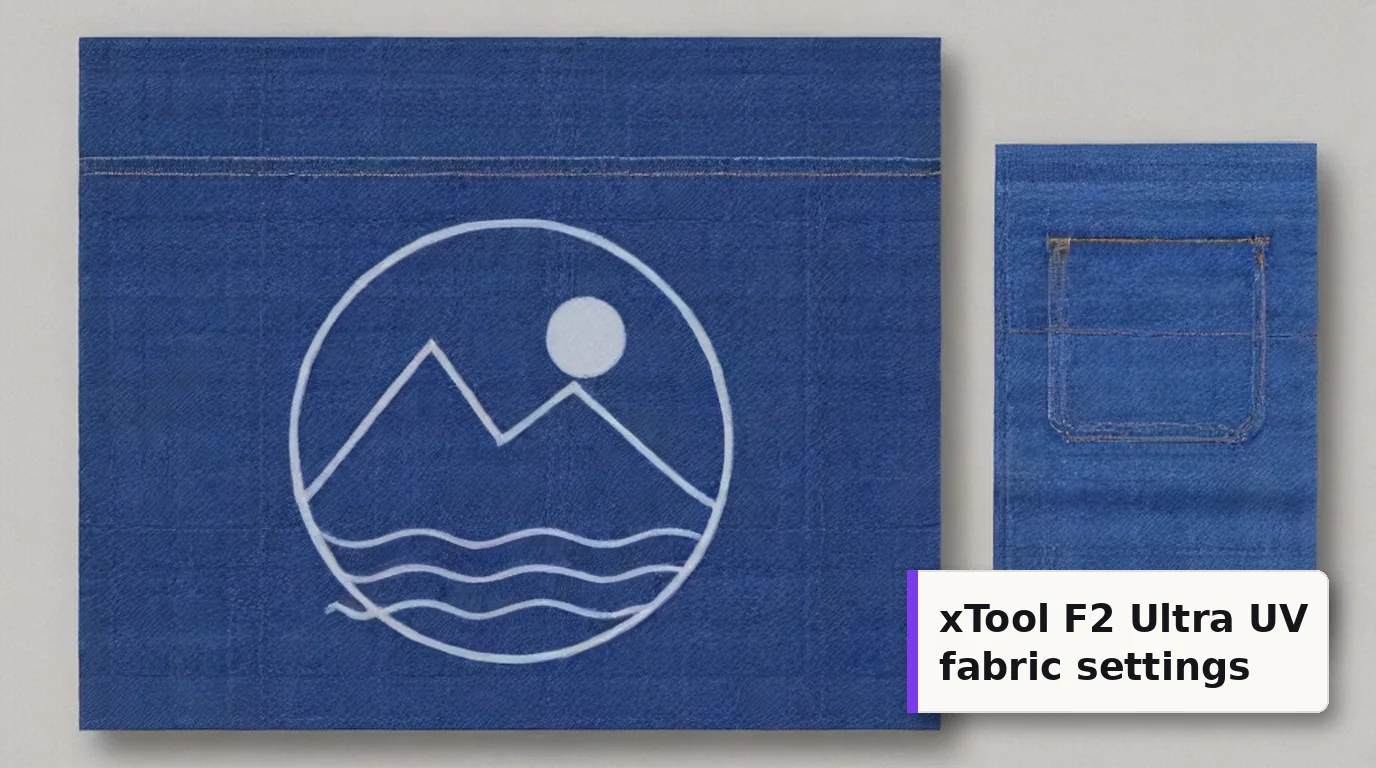 On denim, a UV laser lifts the indigo dye and leaves a pale, bleached-looking design instead of a burn. (AI-generated example.)
Custom jeans pockets, denim jacket backs, canvas totes, aprons and felt ornaments are some of the easiest fabric jobs to sell. The xTool F2 Ultra UV can do most of them, but fabric doesn't behave like wood or acrylic under a laser.
On denim, the 5W, 355 nm UV beam doesn't burn a dark mark. It takes the indigo off the surface of the yarn and leaves a light, faded design. Get the energy right and the cloth keeps its strength. Push it too far and you're left with loose threads or a hole.
The good news is that there's a real F2 Ultra UV number to start from. xTool Studio has a built-in Black Denim-6oz (200g) preset, and it was shown on screen in a creator's F2 Ultra UV video. Everything else in this guide comes from cited sources and other UV machines. Any test grid I suggest is an untested starting point, not a result.
Quick facts
- Machine: xTool F2 Ultra UV, enclosed 5W, 355 nm UV galvo
- Is fabric supported? Yes. xTool lists fabric among the F2 Ultra UV's cuttable materials, and Atomm's official denim materials list the F2 Ultra UV
- Studio preset (Black Denim-6oz, engrave): 80% power, 900 mm/s, 1 pass, 120 lines/cm, 40 kHz (shown on screen in DAYGONE LASERCRAFT's video)
- Same numbers on indigo jeans: an Atomm F2 Ultra UV project used 80%, 900 mm/s, 120 lines and 40 kHz on a jeans pocket
- Frequency window: 40-150 kHz on the F2 Ultra UV
- Best fabrics: indigo denim, dark tight-weave cotton, canvas and felt
- Avoid: PVC, vinyl and any coated or "waterproof" fabric you can't identify
- Biggest pitfalls: folds and wrinkles, too much energy, and loose or stretchy knits
Short answer
The xTool F2 Ultra UV engraves denim and dark cotton well by fading the dye instead of scorching it. Start with xTool Studio's Black Denim-6oz preset: 80% power, 900 mm/s, 1 pass, 120 lines/cm and 40 kHz. One maker on Atomm found two passes gave a clearer image on black denim without damaging it. Because every fabric and dye lot reacts differently, run a material test array on a scrap of the same garment first. Keep the cloth flat and taut, never run PVC or unknown coatings, and stay with the machine while it works.
Quick answer: the best starting settings
Start from the Studio preset, then grid around it. In xTool Studio, pick the material, or choose Applications and then Material test array. xTool's material test array guide explains the steps, and xTool says even its lab-tested settings are for reference only.
The sourced starting point (denim and dark cotton):
- Power: 80%
- Speed: 900 mm/s
- Passes: 1 (try 2 if the image is faint)
- Lines per cm: 120, which is about 305 DPI
- Frequency: 40 kHz
- Mode: Process on flat surface, Engrave
Suggested first grid (untested starting point):
- Power: 40% to 90%
- Speed: 700 to 1,500 mm/s
- Lines per cm: 120
- Frequency: 40 kHz
- Passes: 1
Why this window? It puts the Studio preset in the middle and leans toward lower energy, which is where every fabric source says to start. The faster, lower-power squares are your "whisper fade". The slow, high-power squares show where the fabric starts to break down.
Which square to pick: the lightest, crispest fade where the threads still feel solid when you rub them. If a square looks bright white, check it closely. Bright white spots can mean the yarn has been cut, not just faded.
xTool F2 Ultra UV fabric settings chart
Every number in this chart comes from a source. None of it is my own test. Read the Source column, because only the first rows come from the F2 Ultra UV itself.
| Fabric / goal | Power | Speed | Lines/cm | Passes | Frequency | Source |
|---|---|---|---|---|---|---|
| Black Denim-6oz (200g), engrave | 80% | 900 mm/s | 120 | 1 | 40 kHz | xTool Studio preset, on screen in DAYGONE LASERCRAFT's F2 Ultra UV video |
| 100% cotton T-shirt (using the black denim preset) | 80% | 900 mm/s | 120 | 1 | 40 kHz | DAYGONE LASERCRAFT video, re-marking a faded diode logo |
| Indigo Blue Denim-6oz, jeans pocket | 80% | 900 mm/s | 120 | not stated | 40 kHz | Atomm project 175064 (Canaille84), F2 Ultra UV |
| Black Denim-6oz, clearer image | default preset | default preset | default preset | 2 | default preset | Atomm community record by ashman.clan, F2 Ultra UV |
| xTool official denim (Black, Indigo, Sky Blue, Deep Blue, Light Blue 6oz) | in Studio | in Studio | in Studio | in Studio | in Studio | Atomm Materials Lab, F2 Ultra UV listed |
| Felt, cut | 42% | 500 mm/s | - | 1 | not stated | Bonny Creations F2 Ultra UV page, labelled Estimated |
| Felt, cut (slower) | 90% | 80 mm/s | - | 1 | not stated | Bonny Creations F2 Ultra UV page, labelled Estimated |
About the other Atomm records: several community denim records hide their values behind a login. Their preview text shows the same placeholder numbers and says "Blue light", so I've left those numbers out.
About the felt rows: they're labelled Estimated by the site that lists them. A single pass at 500 mm/s seems fast for cutting felt on 5W, so treat both rows as places to start a pass test, not as proven cuts.
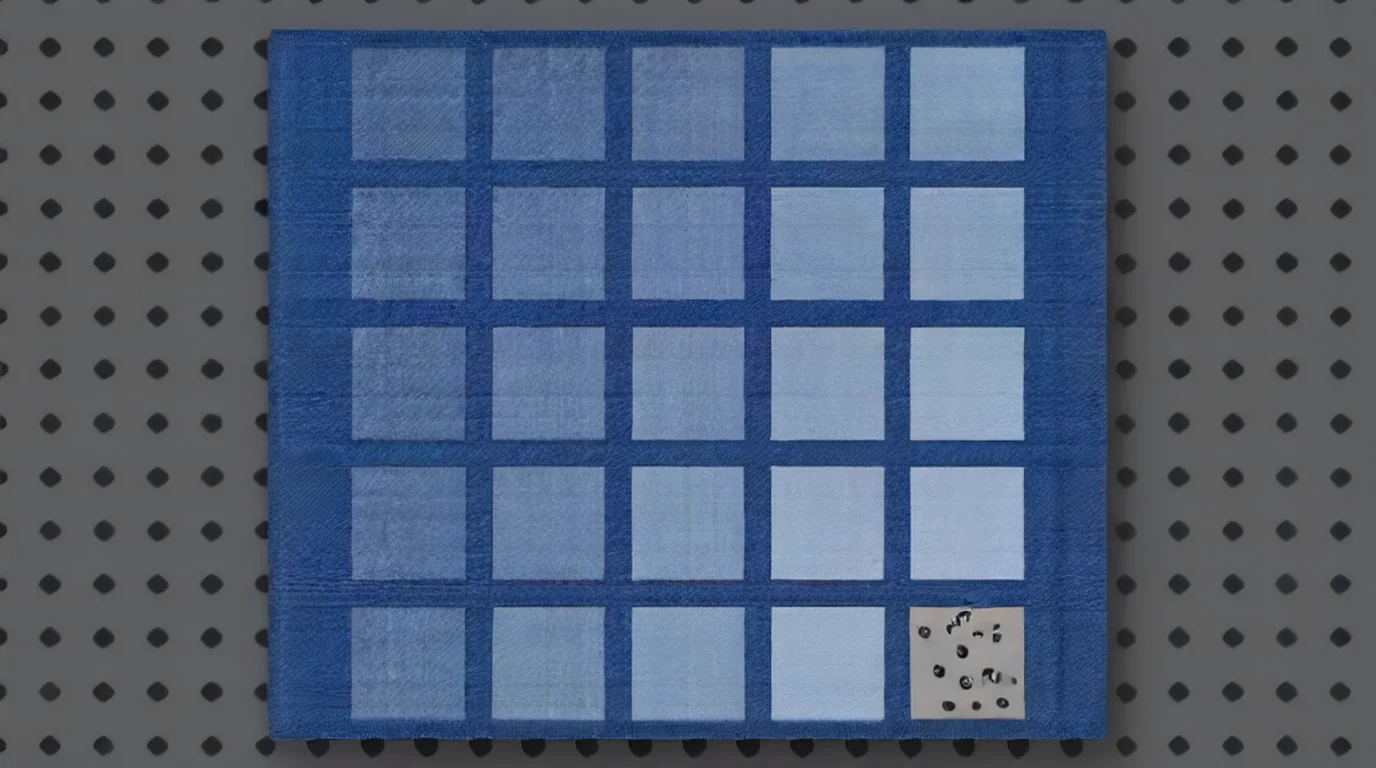 A test grid on a scrap of the same denim shows the jump from a soft fade to a near-white mark, and the corner where the threads start to fail. (AI-generated example.)
Other UV machines (cross-reference only, not F2 Ultra UV numbers)
These come from other UV galvos. They use Q-pulse or pulse width, which the F2 Ultra UV's Studio panel doesn't show, so don't copy them across. They're useful for one thing: every one of them runs fabric fast.
| Machine | Fabric | Passes | Speed | Frequency | Pulse | Line distance | Source |
|---|---|---|---|---|---|---|---|
| ComMarker Omni 1 5W, 150 mm lens | Jean | 1 | 1,000 mm/s | 40 kHz | 7 | 0.03 mm | ComMarker fabric guide |
| ComMarker Omni 1 5W, 150 mm lens | Black cotton T-shirt | 1 | 1,000 mm/s | 40 kHz | 7 | 0.03 mm | ComMarker fabric guide |
| ComMarker Omni 1 5W, 150 mm lens | Silk | 1 | 1,000 mm/s | 40 kHz | 15 | 0.03 mm | ComMarker fabric guide |
| ComMarker Omni 1 5W, 150 mm lens | Towels | 1 | 2,500 mm/s | 30 kHz | 17 | 0.03 mm | ComMarker fabric guide |
| ComMarker Omni X 12W, 250 mm lens | Jean | 1 | 1,500 mm/s | 50 kHz | 5 | 0.03 mm | ComMarker fabric guide |
| ComMarker Omni X 12W, 250 mm lens | Cutting felt | 5 | 300 mm/s | 50 kHz | 1 | 0.1 mm | ComMarker fabric guide |
| Haotian 5W UV | Jeans, crosshatch, 25% power | 1 | 3,000 mm/s | 50 kHz | 1 | 0.035 mm | Haotian Laser video description |
| Haotian 5W UV | T-shirt | not stated | 3,000 mm/s | 20 kHz | 10 ns | not stated | Haotian Laser video description |
A 0.03 mm line distance works out to about 333 lines/cm, so these machines pack lines much tighter than the Studio preset's 120 lines/cm.
CO2 and diode numbers you should not copy
Most fabric guides online were written for CO2 or diode lasers. Onelaser's CO2 chart lists denim at 10-20% power and 600-900 mm/s, and Tyvok's diode chart lists denim at 40-60% and 200-300 mm/s. Those lasers heat and scorch the cloth. A UV laser at 355 nm works differently, so those numbers don't carry over.
What do the settings mean?
xTool's F2 Ultra UV parameter guide explains the Studio panel:
- Power (%) is how much of the 5W the laser uses. More power lifts more dye, and also weakens the yarn sooner.
- Speed (mm/s) is how fast the beam moves. Slower means more energy on each spot.
- Pass is how many times the laser goes over the design. A second pass is the gentlest way to deepen a faint fade.
- Lines per cm is how many scan lines fit in a centimetre. 120 lines/cm is about 305 DPI.
- Frequency (kHz) is the pulse rate. The F2 Ultra UV runs from 40 to 150 kHz, and 40 kHz is what the denim preset uses.
On fabric, change one thing at a time. Add a pass before you raise power. Keith Outten on Sawmill Creek put it simply: use too much power on denim "the threads will be all that is left."
Can the xTool F2 Ultra UV engrave and cut fabric?
Yes. xTool's spec lists fabric, leather, plastics (PE, PP, EVA, PET), paper and wood among the F2 Ultra UV's cuttable materials. Macros, xTool's Japanese distributor, lists denim and felt among the materials the machine can process. Atomm lists the F2 Ultra UV on xTool's official 6 oz denim materials too.
Why UV works on fabric: JT Makes It, testing a 5W ComMarker Omni 1, said UV lasers can ablate the dye and leave the fibres below intact, which keeps the fabric strong. In the same test, a fiber laser left no mark at all on denim. In his Omni 1 review, a diode made darker marks on denim but weakened the cloth.
One note: xTool's own beginner's guide to denim lists diode and CO2 machines, not the F2 Ultra UV. That page was last updated in September 2025, before the F2 Ultra UV launched. Its advice still applies, though: too much power carbonises denim, too little leaves an unclear mark, and bitmaps may need inverting.
Which fabrics work best?
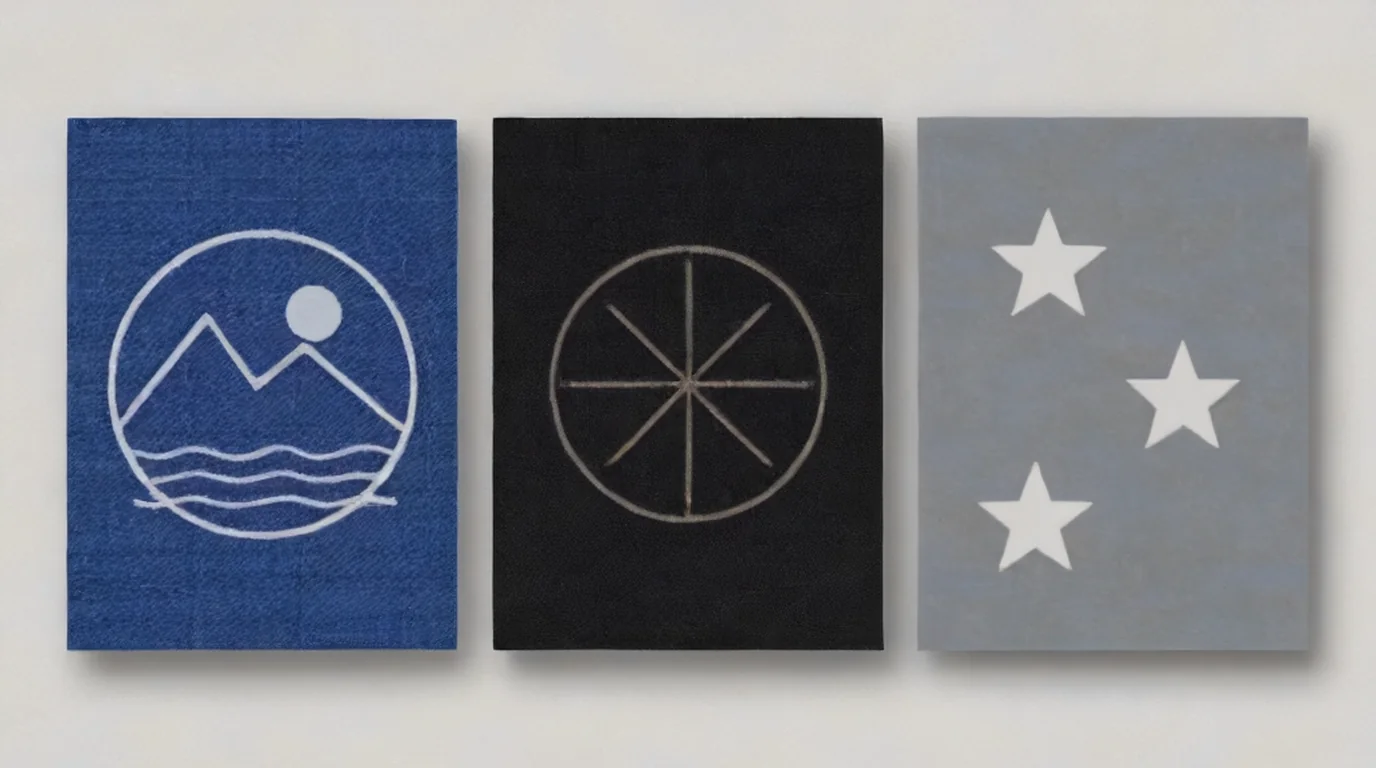 Denim fades, dark cotton lightens, and felt is usually a cutting job. Each one needs its own test. (AI-generated example.)
Indigo denim and jeans are the best fabric for this laser. LaserSettings explains that the goal is to remove indigo from the surface of the yarn, not burn it, and that power alone controls the shade, from a soft fade to near-white.
Dark cotton (tees, aprons, hoodies) works, but it's less dramatic. ComMarker notes that cotton shows lighter or darker surface discolouration, and dark fabrics give more contrast. On Sawmill Creek, Stan Kern thought his UV T-shirt test would have worked better on any colour but white.
Canvas (totes, bags) takes a mark well. Stan Kern marked a canvas tote with a 12W UV in about 10 minutes and said it didn't harm the canvas. Boss Laser warns that painted or primed canvas is a coating question, not a canvas question.
Felt is mostly cut, not engraved. Boss Laser notes that most craft-store felt is polyester or a blend, and wool felt usually needs a little more power. Haotian Laser showed a 5W UV cutting 4 mm felt, but didn't publish the settings.
Tricky fabrics: Epilog says terry cloth (towels, robes) and plush tend to scorch instead of engrave, because the threads aren't tightly knit. Onelaser adds silk, satin, chiffon, lightweight polyester and stretch fabrics to the "extra care" list. In AlivePixel Creations' UV test, socks just melted.
How should I set up a fabric job?
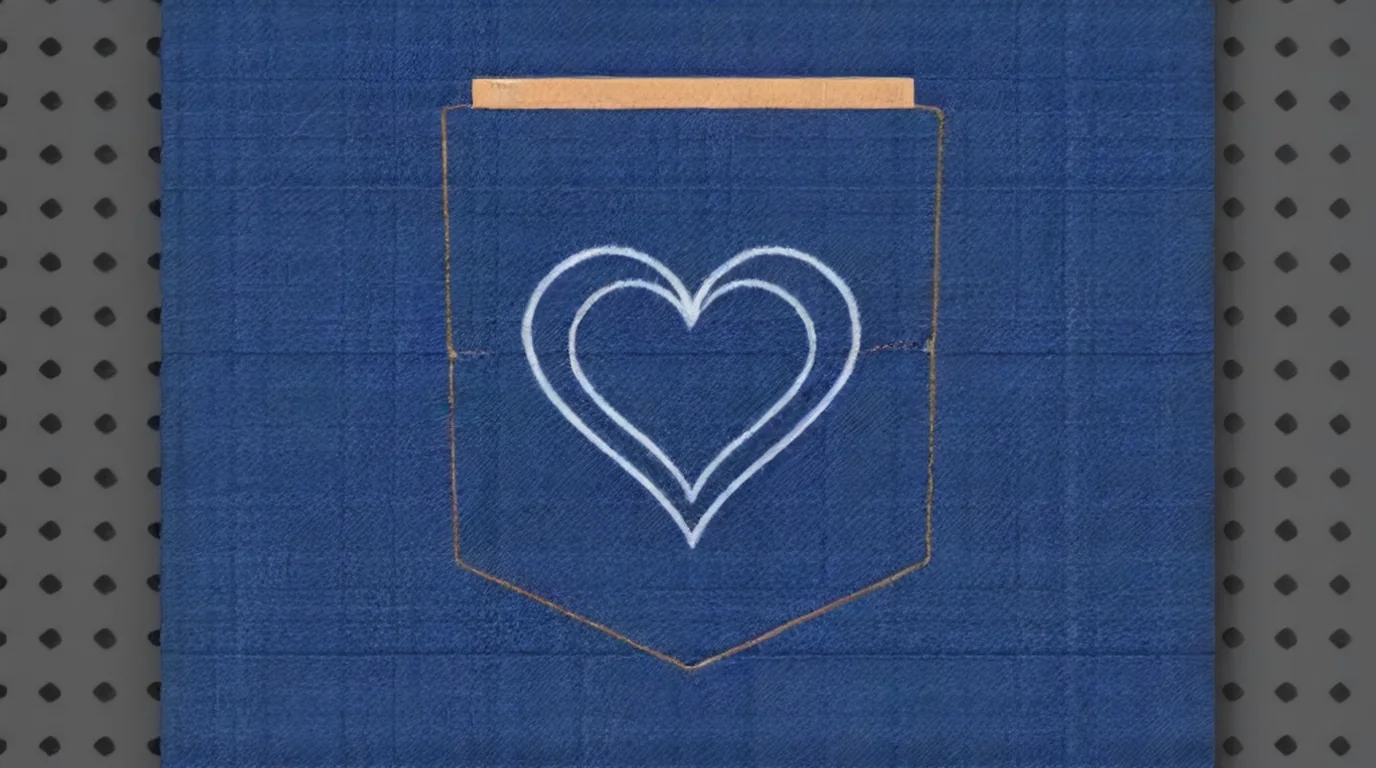 A thin board slipped inside a pocket keeps the layer flat and stops the beam marking the fabric underneath. (AI-generated example.)
- Check the fibre and coating. Boss Laser says the question to ask a supplier is "what is the fibre content and what is the coating?" If nobody knows and there's no safety data sheet, don't run it.
- Iron it and flatten it. Trotec recommends ironing out wrinkles. LaserSettings warns that a single fold makes a darker patch in the middle of the design.
- Keep it taut. Use clips, magnets, tape or a heavy frame. Fabric shifts and lifts more easily than paper.
- Use a board in pockets and sleeves. On Atomm, Patrik Adolfsson slipped thin basswood into a jeans pocket to keep it flat. That was on an F2 Ultra diode, but the idea works on any laser.
- Focus on the fabric surface. See how to focus a UV laser. Refocus if you move from a thin tee to a thick seam.
- Test on hidden fabric. The Reddit advice for an F2 Ultra UV owner stuck on sky-blue denim was to buy a couple of old denim items at a thrift store, run a material matrix, then refine on the inside of the real garment.
- Big garments. The F2 Ultra UV's surface area is 200 x 200 mm, or 200 x 500 mm with the conveyor. In DAYGONE's video the lid wouldn't close all the way over a T-shirt, and he reminded viewers to wear eye protection. Atomm's precautions say to wear goggles matched to the laser's wavelength whenever covers are open.
What I saw in the videos
I pulled frames from the videos instead of only reading transcripts.
- DAYGONE LASERCRAFT, "UV Laser vs Cotton T Shirt - Restore Faded Marking": This was his first fabric job on the F2 Ultra UV. Studio's settings panel reads Process on flat surface, Black Denim-6oz (200g), Engrave, power 80, speed 900, pass 1, lines per cm 120, frequency 40. He used it to re-mark a faded diode logo on a 100% cotton shirt and said it lined up well and "don't look half bad."
- AlivePixel Creations, "Laser Engraving on Clothes? UV Laser Tutorial" (ComMarker Omni 1): The first attempt on a canvas bag melted or burned the cloth. He went to 1,000 mm/s, 20 kHz and Q-pulse 1, which was worse. Q-pulse 5 was "still too hard." After a few more changes, including passes and a 0.08 value he didn't name on screen, he got a mark he liked. When they tugged it, the marked spot tore, though he said the bag tore just as easily elsewhere. An apron looked great, a jeans pocket looked "awesome" with two passes, and the socks just melted.
- Haotian Laser, "5W UV Laser Engraving on Jeans!": A pale scroll design on a light-wash jeans pocket. The description lists 3,000 mm/s, 25% power, 50 kHz, Q-pulse 1, 0.035 mm line interval, 1 pass and cross hatch.
- JT Makes It, "UV Laser vs. Fiber Laser": UV ablates the dye on denim and polyester without burning holes, while the fiber laser didn't mark denim at all.
Step-by-step: engraving denim and fabric on the F2 Ultra UV
1. Know your fabric
Check the label for fibre content. Natural indigo denim and tight-weave cotton are the easy wins. Skip anything coated, waterproofed or made with PVC.
2. Wash, iron and flatten
Iron out creases, then clip, tape or weight the fabric flat. Put a thin board inside pockets, sleeves and bags.
3. Focus
Focus on the top of the fabric, and refocus if the thickness changes.
4. Prepare the art
Line art and bold shapes read best on fabric. For photos and bitmaps, check whether the image needs inverting, as xTool's denim guide points out.
5. Grid, then engrave
Load the Black Denim-6oz preset (80%, 900 mm/s, 120 lines/cm, 40 kHz, 1 pass), or run a material test array from 40-90% power and 700-1,500 mm/s on a scrap. Pick the cleanest fade where the threads still hold, then run the job with extraction on.
6. Finish
Brush off dye dust or give it a cold wash. Let the piece cool before you fold or stack it.
What should I do if the mark looks wrong?
| Problem | Likely cause | What to try |
|---|---|---|
| Faint or patchy fade | Too little energy, or a light-wash denim | Add a second pass before raising power |
| Bright white spots or loose threads | Too much energy, yarn is being cut | Speed up or lower power |
| Brown scorch marks | Too much heat, or a loose weave | Lower power, and avoid terry and plush |
| Holes or tears when pulled | Fabric weakened | Lower energy, widen line spacing, test the strength by hand |
| Darker patch in the middle | A fold or wrinkle | Iron it, pull it taut and refocus |
| Mark goes through to the back layer | Pocket or bag not isolated | Slip a board inside |
| Fabric melts or goes shiny | Synthetic fibre or stretch blend | Use much less energy, or choose a natural fibre |
| Weak contrast on white cotton | Not much dye to remove | Use dark or indigo fabric for contrast |
Safety and aftercare
- No PVC, no vinyl, no mystery coatings. xTool's F2 Ultra UV safety page warns that PVC, vinyl and chlorine-containing materials can release toxic, corrosive gases. Boss Laser says a PVC coating makes a fabric impossible to laser safely, whatever the base cloth is. LaserSettings adds that water- and stain-repellent treatments are sometimes fluorinated or chlorinated.
- Fabric burns. LaserSettings warns that an ember can stay hidden in a cotton weave. Never leave the machine, and let pieces cool outside it.
- Run extraction. Redsail notes that burning indigo and denim finishes gives off smoke you shouldn't breathe. Onelaser also says to clear lint from the machine regularly.
- Wash care. LaserSettings suggests a dry brush or cold wash to remove dye dust, and no tumble drying straight after marking. Redsail recommends washing cold and inside out, and keeping bleach off the faded area.
- Never engrave clothes someone is wearing. It sounds obvious, but take the garment off first.
What I couldn't confirm
- I didn't find xTool lab values for the other official denim colours published outside xTool Studio. The preset numbers above are for Black Denim-6oz as shown on screen.
- I found no F2 Ultra UV test on canvas, felt engraving, silk or polyester with settings shown.
- The felt cutting rows are labelled Estimated, and I found no video of the F2 Ultra UV cutting felt.
- Nobody I found had measured how many washes a UV denim fade survives on the F2 Ultra UV.
FAQ
Can the xTool F2 Ultra UV engrave denim and jeans?
Yes. Atomm lists the F2 Ultra UV on xTool's official 6 oz denim materials, and creators have shown it marking jeans and cotton. The UV takes the indigo off the surface and leaves a faded, light design.
What are the best F2 Ultra UV settings for denim?
Start with xTool Studio's Black Denim-6oz preset: 80% power, 900 mm/s, 1 pass, 120 lines/cm and 40 kHz. If the image is faint, try a second pass before raising power, and always test on a scrap of the same garment.
Can the F2 Ultra UV engrave a cotton T-shirt?
Yes, with limits. DAYGONE LASERCRAFT used the black denim preset on a 100% cotton shirt and got a clean result. Dark cotton gives more contrast than white, and the lid may not close fully over a bulky garment.
Does UV laser engraving damage fabric?
It can. A UV laser lifts dye with less heat than a diode or CO2, which helps keep the threads strong. Too much energy still cuts the yarn, and Keith Outten on Sawmill Creek says bright white spots are where the power was too high. Test the strength by pulling on a marked scrap.
Can the F2 Ultra UV cut fabric and felt?
xTool lists fabric as cuttable on the F2 Ultra UV. The only public F2 Ultra UV felt rows are labelled Estimated (42% at 500 mm/s and 90% at 80 mm/s, 1 pass), so run a pass test on your own felt. Natural fibres will fray, because they don't melt-seal like polyester.
Which fabrics should I never put in the laser?
Anything with PVC or vinyl, including some faux leather, oilcloth and coated "waterproof" fabrics. xTool's safety page warns these can release toxic and corrosive gases. If you can't confirm the fibre and coating, don't run it.
Why does my denim engraving have bright white spots?
Those are usually spots where the energy was too high and the threads were cut, not just faded. Speed up or lower power, and add passes instead of power.
How do I wash laser-engraved jeans?
Brush off dye dust or give them a cold wash first. Redsail recommends washing cold and inside out and keeping bleach off the design, and LaserSettings suggests skipping the tumble dryer right after marking.
Related guides
- xTool F2 Ultra UV leather settings
- xTool F2 Ultra UV paper settings
- xTool F2 Ultra UV silicone settings
- How to focus a UV laser
- Best UV laser blanks to buy and sell
- UV laser project ideas
Sources and further watching
- xTool Support - Processing Parameter Settings / Material test array (article 2698): https://support.xtool.com/article/2698
- xTool Support - Processing Parameters for xTool F2 Ultra UV (article 2699): https://support.xtool.com/article/2699
- xTool Support - Safety First for xTool F2 Ultra UV (article 2753): https://support.xtool.com/article/2753
- xTool Support - Beginner's Guide to Laser Processing of Denim (article 2450): https://support.xtool.com/article/2450
- xTool - Laser Cutting Fabric and Textiles: The Ultimate Guide: https://www.xtool.com/blogs/xtool-academy/laser-cutting-fabric
- xTool - Machine comparison and F2 Ultra UV specifications: https://www.xtool.com/products/ultimate-productive-business-duo
- Macros (xTool Japan distributor) - xTool F2 Ultra UV processable materials: https://www.macros-cad.co.jp/laser/f2.html
- Atomm Materials Lab - Black Denim-6oz(200g) (official): https://www.atomm.com/materials-lab/official/2586-black-denim-6oz-200g
- Atomm - Test Engraving on Jean (F2 Ultra UV project by Canaille84): https://www.atomm.com/project/175064-test-gravure-sur-jean
- Atomm Materials Lab - Black Denim-6oz(200g) by ashman.clan (F2 Ultra UV): https://www.atomm.com/materials-lab/community/3453-black-denim-6oz-200g
- Atomm Materials Lab - Denim by Patrik Adolfsson (F2 Ultra diode): https://www.atomm.com/materials-lab/community/588-denim
- Reddit r/xToolOfficial - Denim settings for the F2 Ultra UV: https://www.reddit.com/r/xToolOfficial/comments/1qf2sxa/denim_settings_for_the_f2_ultra_uv/
- Bonny Creations - xTool F2 Ultra UV felt settings: https://www.bonnycreations.com/settings/machines/xtool-f2-ultra-uv/felt
- ComMarker Blog - How to Laser Engrave and Cut Fabric: https://blog.commarker.com/archives/56660
- Hobby Laser Cutters - UV Laser vs. Fiber Laser: https://hobbylasercutters.com/uv-laser-vs-fiber-laser-engraver/
- Hobby Laser Cutters - ComMarker Omni 1 review: https://hobbylasercutters.com/commarker-omni-1/
- LaserSettings - Cotton and denim: laser engraving and cutting: https://lasersettings.fr/en/material/coton-denim
- Trotec - Laser engraving denim: https://www.troteclaser.com/en/helpcenter/materials/material-usage-hints/laser-engraving-denim
- Trotec - Laser processing textiles: https://www.troteclaser.com/en-us/helpcenter/materials/material-usage-hints/material-handling-textiles
- Boss Laser - Fabric & textile cutting: https://team.bosslaser.com/applications/leather/fabric-cutting/
- Epilog - Fabrics and their compatibility with laser cutting: https://support.epiloglaser.com/laser-machine/fusion-pro/usage-and-operation/laser-techniques/how-to-laser-engrave-and-cut-fabrics/
- Onelaser Wiki - Fabric laser engraving guide: https://wiki.1laser.com/knowledge-base/material-processing/fabric-materials/fabric-laser-engraving-guide
- Redsail Laser - Laser engraving denim: https://www.redsaillaser.com/index.php/archives/6236.html
- DAX Show - Laser engraving on fabric: https://daxshow.com/page/laser-engraving-on-fabric/
- Tyvok - Laser engraving cotton fabric and textiles: https://tyvok.com/blogs/news/laser-engraving-cotton-fabric-and-textiles-settings-tips-and-project-ideas-2026
- Sawmill Creek - Engraving a cotton T-shirt using a UV laser: https://sawmillcreek.org/threads/engraving-a-cotton-t-shirt-using-a-uv-laser.317467/
- Sawmill Creek - Using a UV laser to engrave a canvas tote bag: https://sawmillcreek.org/threads/using-a-uv-laser-to-engrave-or-mark-a-canvas-tote-bog.317002/
- Tom's Hardware - xTool F2 Ultra UV review: https://www.tomshardware.com/maker-stem/xtool-f2-ultra-uv-dual-laser-engraver-review
- Wikipedia - Denim: https://en.wikipedia.org/wiki/Denim
- Wikipedia - Indigo dye: https://en.wikipedia.org/wiki/Indigo_dye
Further watching (embeds)
- DAYGONE LASERCRAFT - "UV Laser vs Cotton T Shirt - Restore Faded Marking": https://www.youtube.com/watch?v=oJ-wausaSzY
- AlivePixel Creations - "Laser Engraving on Clothes? UV Laser Tutorial - How to Laser Engrave Clothes - ComMarker Omni 1": https://www.youtube.com/watch?v=U6m8eX2rCfE
- Haotian Laser - "5W UV Laser Engraving on Jeans! | Sharp Denim Designs Without Heat or Damage": https://www.youtube.com/watch?v=xe1hwXwsDho
Also referenced: JT Makes It - "UV Laser vs. Fiber Laser - Which One Should You Choose?" (https://www.youtube.com/watch?v=TEGiheuk6SM), JT Makes It - "The Ultimate UV Laser Engraver Test! Can the ComMarker Omni 1 Handle ANY Material?" (https://www.youtube.com/watch?v=rZXZM_2uSI8), Haotian Laser - "UV laser on T shirts" (https://www.youtube.com/watch?v=1PnFGtTJd9I) and Haotian Laser - "Cutting 4mm Felt with Haotian UV Laser 5W" (https://www.youtube.com/watch?v=mdV_SPYY4Ec).
A first fabric test on the xTool F2 Ultra UV: re-marking a faded logo on a 100% cotton T-shirt with xTool Studio's Black Denim preset. (Video: DAYGONE LASERCRAFT on YouTube.)
A 5W UV laser tested on a canvas bag, an apron, jeans, socks and an old hoodie, with the settings changes talked through on camera. (Video: AlivePixel Creations on YouTube.)
A scroll design engraved on a jeans pocket with a 5W UV laser, with the speed, power, frequency, Q-pulse and line interval listed in the description. (Video: Haotian Laser on YouTube.)
Related settings
- xTool F2 Ultra UV Mirror Settings: Back Coating, Front Frost & Acrylic Mirror (2026)
- xTool F2 Ultra UV Bamboo Settings: Cutting Boards, Coasters & Plywood (2026)
- xTool F2 Ultra UV Granite Settings: Black Granite, Memorials & Rocks (2026)
- xTool F2 Ultra UV Polycarbonate Settings: PC Sheet, Cases & Cards (2026)
- xTool F2 Ultra UV Cork Settings: Coasters, Sheets & Photo Chart (2026)
- xTool F2 Ultra UV Marble Settings: Black, White & Green Marble Chart (2026)
- xTool F2 Ultra UV Gold Settings: Solid, Gold-Filled & Gold-Plated Jewelry (2026)
- xTool F2 Ultra UV Silver Settings: Sterling Silver Jewelry, Tags & Pendants (2026)
- xTool F2 Ultra UV Copper Settings: Sheet, Tags & Copper-Clad PCB Blanks (2026)
- xTool F2 Ultra UV Aluminum Settings: Bare Sheet, Cards, Tags & ID Plates (2026)
- xTool F2 Ultra UV Silicone Settings: Wristbands, Watch Bands & Phone Cases (2026)
- xTool F2 Ultra UV Titanium Settings: Color Mark, Dark Mark & Jewelry Chart (2026)
- xTool F2 Ultra UV Paper & Cardstock Settings (2026 Guide)
- xTool F2 Ultra UV ABS Settings: Presets, Test Grid & Safety Guide (2026)
- xTool F2 Ultra UV Brass Settings: Tags, Sheet & Coin Emboss Chart (2026)
- xTool F2 Ultra UV Crystal Settings: 3D Inner Engraving Guide (2026)
- xTool F2 Ultra UV Anodized Aluminum Settings: Business Cards & More (2026)
- xTool F2 Ultra UV Leather Settings: Genuine, Faux & Leatherette Chart (2026)
- xTool F2 Ultra UV Stainless Steel Settings: Dark, White, Color & Photo Chart (2026)
- xTool F2 Ultra UV Wood Settings: Basswood, Plywood, Pine & MDF Chart (2026)
- xTool F2 Ultra UV Acrylic Settings: Clear, Black & White Chart (2026)
- xTool F2 Ultra UV Ceramic Settings: Tiles & Mugs Chart (2026)
- xTool F2 Ultra UV Glass Settings: Flat Glass & Rotary Chart (2026)
- xTool F2 Ultra UV PLA Settings: 3D Print Colour Chart (2026)
- xTool F2 Ultra UV Slate Settings: Power, Speed & Frequency Chart (2026)
- xTool F2 Ultra UV Tumbler Settings: Powder-Coated & Stainless (2026)
- Can a UV Laser Engrave Slate?
- Can a UV Laser Engrave Glass?
Keep reading
xTool F2 Ultra UV Mirror Settings: Back Coating, Front Frost & Acrylic Mirror (2026)
Sourced xTool F2 Ultra UV mirror settings for removing the back coating, frosting the glass face, and engraving acrylic mirror sheet, plus a test grid and reflection safety.
Read more17 min read
xTool F2 Ultra UV Bamboo Settings: Cutting Boards, Coasters & Plywood (2026)
Sourced xTool F2 Ultra UV bamboo settings for cutting boards, coasters and plywood, with a starting test grid, glue-line tips and food-safe finishing.
Read more19 min read
xTool F2 Ultra UV Granite Settings: Black Granite, Memorials & Rocks (2026)
Sourced xTool F2 Ultra UV granite settings for polished black and light granite, with a starting test grid, deep relief, paint fill and silica safety.
Read more20 min read