xTool F2 Ultra UV Tumbler Settings: Powder-Coated & Stainless (2026)
Sourced xTool F2 Ultra UV tumbler settings for powder-coated and bare stainless tumblers on the rotary: power, speed, lines per cm, frequency and the focus offset trick.
9 min read
On this page
- Quick answer: the best starting settings
- xTool F2 Ultra UV tumbler settings chart
- What creators found on video
- Watch the best tests
- Setup tips from the videos
- What results to expect
- The focus offset trick
- Rotary setup for tumblers
- Step-by-step: engraving a powder-coated tumbler
- 1. Clean
- 2. Mount and level
- 3. Focus
- 4. Run a test grid
- 5. Engrave
- 6. Clean up
- Troubleshooting
- FAQ
- What are the best xTool F2 Ultra UV tumbler settings?
- Why add 3–5 mm after autofocus on a tumbler?
- Why is tumbler engraving so slow on the F2 Ultra UV?
- Can the F2 Ultra UV engrave bare stainless steel tumblers?
- Why do I see scan lines on my tumbler?
- Do I need a rotary attachment?
- How do I focus on a shiny tumbler?
- Does xTool Studio have a UV tumbler preset?
- How do I keep the iridescent colour under the powder coat?
- Why does xTool Studio not give good tumbler settings?
- Can the F2 Ultra UV add colour to bare stainless tumblers?
- Final thoughts
- Sources
Last updated: October 28, 2026
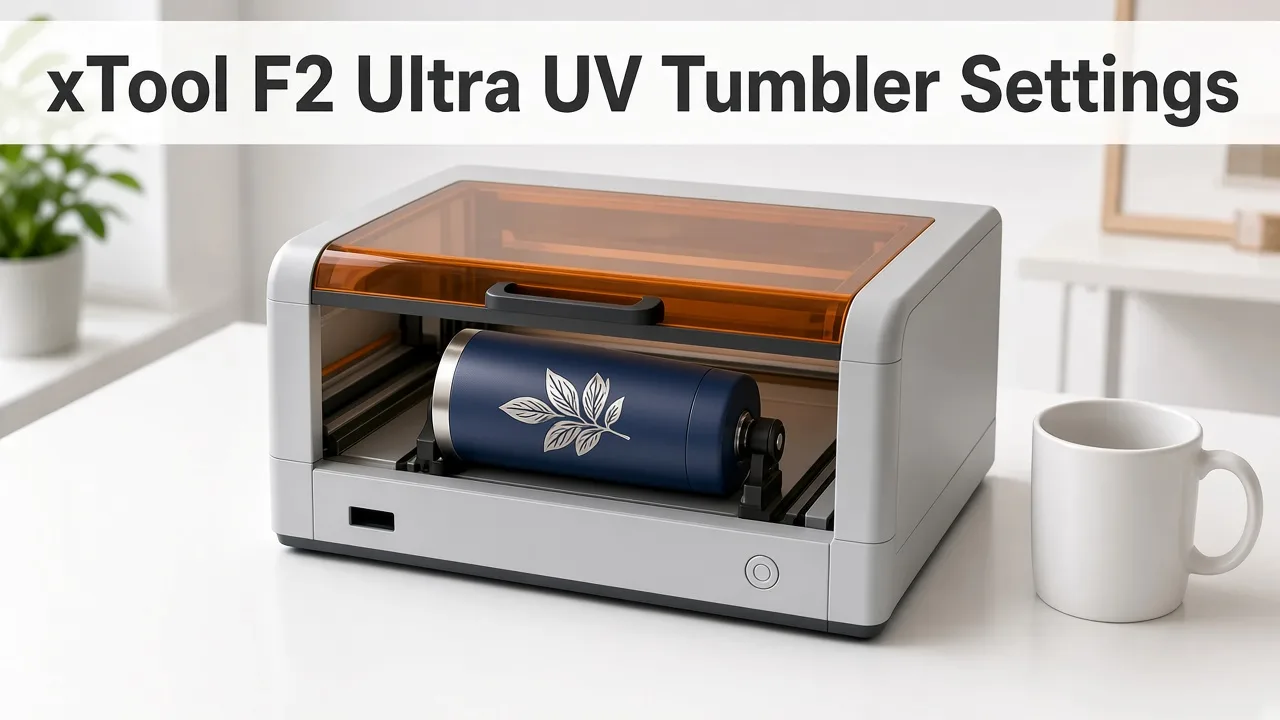 Tumblers need a rotary and a careful focus offset on the UV laser. (AI-generated illustration, generic machine.)
Quick facts
- Machine: xTool F2 Ultra UV, 5W, 355 nm UV galvo laser
- Powder-coated tumbler (vector): 75% power, 300 mm/s, 1 pass, 800 lines/cm, 85 kHz, bi-directional (Reddit user)
- Black powder-coated tumbler: 70% power, 1000 mm/s, 1 pass, 500 DPI (Atomm maker)
- Focus trick: autofocus, then add 3–5 mm
- Rotary speed limit: about 400 mm/s on typical tumblers (Atomm test grid)
- Bare stainless: 60% power, 200 mm/s, 1 pass (community); slow
- Rotary: RA3 or RA2/RA2 Pro, sold separately
- Expect: long jobs; one user reported about 6 hours
Quick answer: the best starting settings
For powder-coated tumblers, start at 75% power, 300 mm/s, 1 pass, 800 lines/cm, 85 kHz, bi-directional.
Autofocus, then add about 4 mm to the measured height.
If that's too slow, test 70% power at 1000 mm/s, 500 DPI with +5 mm focus.
xTool F2 Ultra UV tumbler settings chart
| Tumbler | Power | Speed | Passes | DPI / LPC | Frequency | Focus offset | Source |
|---|---|---|---|---|---|---|---|
| Powder-coated, vector | 75% | 300 mm/s | 1 | 800 LPC | 85 kHz | +4 mm | Reddit r/xToolOfficial user |
| Black powder-coated | 70% | 1000 mm/s | 1 | 500 DPI | not stated | +5 mm | Atomm Material Lab maker |
| Powder-coated, test-grid baseline | 60% | 200 mm/s | 1 | not stated | 40 kHz | +3 mm | Atomm tumbler test grid |
| Powder-coated, through coat | 60% then 20% clean-up | 200 mm/s | 2 + 1 | not stated | not stated | not stated | Reddit user (about 6 hours) |
| Powder-coated / painted metal | 60% | 1000 mm/s | not stated | 300 LPC | not stated | not stated | LaserGenerator chart (starting point) |
| Bare stainless | 60% | 200 mm/s | 1 | not stated | not stated | not stated | Bonny Creations (community) |
| Bare stainless, stronger | 100% | 100 mm/s | 2 | not stated | not stated | not stated | Bonny Creations (community) |
| Iridescent powder-coated, keep colour | 75% | 300 mm/s | 1 | 800 LPC | 85 kHz | +4 mm (124 → 128 mm) | Revved Up Design, YouTube |
| Powder-coated tumbler (RA3) | 100% | 202 mm/s | not stated | not stated | not stated | not stated | Ashlee Falco, YouTube |
Note: The Atomm black-tumbler entry lists the machine as the F2 Ultra UV, but the page's "laser type" field reads blue light. Treat it as a test value, not a confirmed UV preset.
What creators found on video
We read the transcripts of the xTool F2 Ultra UV videos below. Settings are what each creator said; timestamps jump to that moment. Videos that turned out to use a different laser were left out.
| Channel | Video | Material | Settings (as said) | Result / tip |
|---|---|---|---|---|
| Revved Up Design | Iridescent Tumbler Guide | Iridescent powder-coated, 75 mm diameter, Chuck mode | 75%, 300 mm/s, 1 pass, 800 lines/cm, 85 kHz; focus 124 → 128 mm | Kept the iridescent layer; about 3 hours; 300–500 lines/cm left lines of coating |
| Ashlee Falco | RA3 + F2 Ultra UV Rotary Test | Powder-coated tumbler, RA3 | First 100%, 80 mm/s (about 40 min estimate, too slow, soot); kept 100%, 202 mm/s (about 20 min) | xTool gave "no good" starter settings; a failed first run left a line down the middle |
| MNB Limited | Tumbler Test | Black and bare stainless tumblers | not stated (partial transcript) | Got colour variations on bare stainless |
Patterns across creators:
- Revved Up Design and the Reddit user both landed on 75% / 300 mm/s / 800 lines/cm / 85 kHz with about +4 mm focus.
- Higher frequency (85 kHz) protects iridescent coatings; lower settings burned the colour away (Revved Up Design).
- Expect long jobs: 20 minutes to 3 hours per tumbler.
Watch the best tests
The full settings, frequency trick and focus offset for iridescent tumblers. (Video: Revved Up Design on YouTube.)
Testing tumbler settings from scratch, including a failed run. (Video: Ashlee Falco on YouTube.)
Setup tips from the videos
- Use Chuck mode and enter the diameter measured with calipers (Revved Up Design).
- Set the start point at the highest point of the tumbler (Revved Up Design).
- Size the design to the perimeter: diameter × π, e.g. with an online calculator (Revved Up Design).
- Defocus outward (higher number) on tumblers, the opposite of glass (Revved Up Design).
- Don't move the tumbler between runs. A failed first attempt left a visible line (Ashlee Falco).
- Clean and polish after: magic eraser, then a polishing pad and polish (Revved Up Design).
What results to expect
- Powder coat: UV can produce a colour mark in the coating or remove it to show the steel.
- Slow jobs. xTool support says the module's low overall power makes tumbler work take longer.
- Fine lines. UV's tiny spot can leave visible scan lines on big fills. One user says the lines can be the steel grain under the coating.
- Bare steel: UV marks it, but slower than a fiber laser.
The focus offset trick
- Autofocus first. Level the tumbler, then measure at the top of the curve.
- Then add height. Makers report the best results after adding:
- +3 mm (Atomm tumbler test grid author)
- +4 mm (Reddit user: a 132 mm reading became 136 mm)
- +5 mm (Atomm black tumbler maker)
- Shiny steel: xTool says to put masking tape on the highest point of reflective stainless, or the machine can't measure.
Rotary setup for tumblers
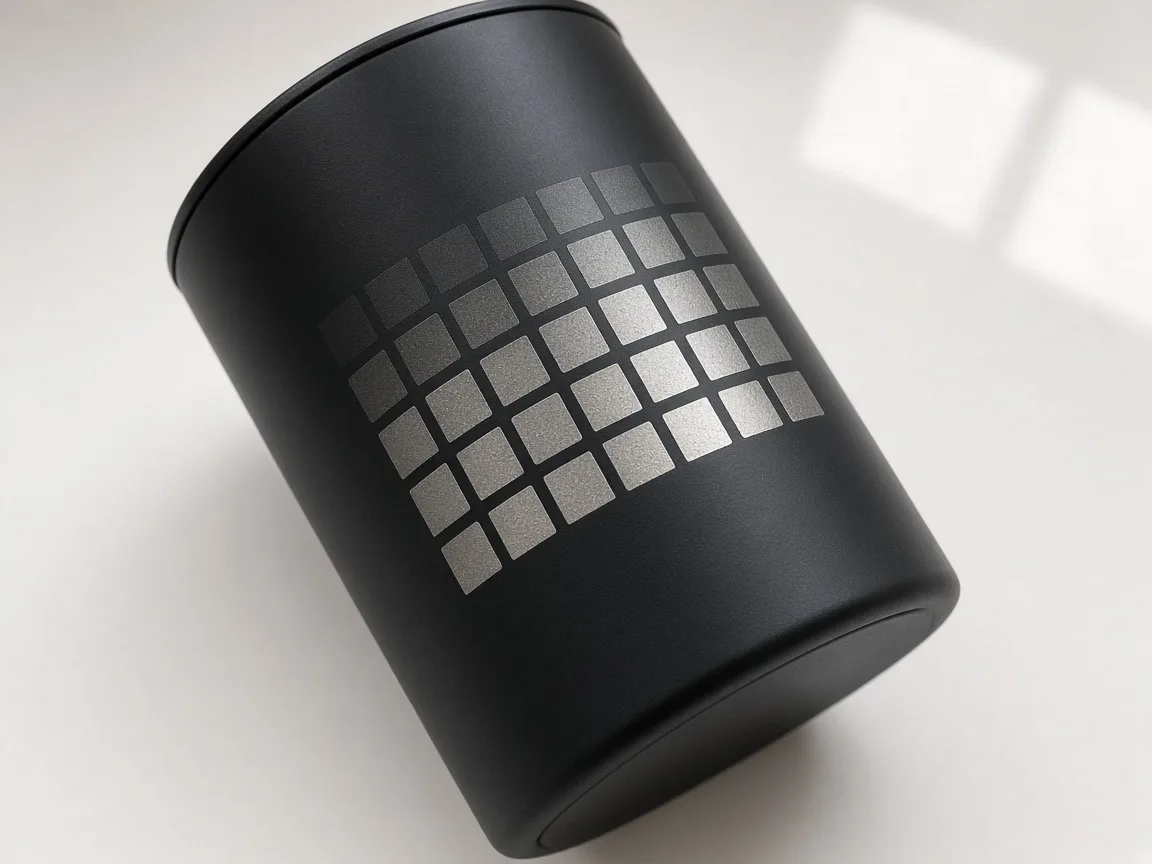 A test grid on a spare tumbler shows which settings give the cleanest mark. (AI-generated illustration.)
- Rotary needed. RA3 or RA2/RA2 Pro. None is included with the machine (xTool).
- RA3 roller levels (xTool):
- Level S: 5–45 mm diameter
- Level M: 40–70 mm diameter
- Level L: 60–100 mm diameter
- Larger or tapered tumblers: use jaw chuck mode.
- Fix the RA3 down. One maker uses set screws to hold it to the baseplate.
- Level the tumbler with the bubble level so the engraving area is flat.
- Enter the diameter or perimeter in xTool Studio and choose Roller or Chuck mode.
Focus the surface before you trust a power number. The method is in How to Focus a UV Laser Correctly. Build the squares the way How to Calibrate the xTool F2 Ultra UV describes. What to reorder is in Best UV Laser Blanks to Buy and Sell. A repeatable position is the point of self-centering jigs for the F2 Ultra UV, and the smoke is the point of inline fans for the F2 Ultra UV. If you are still choosing the machine, start with the desktop UV laser buying guide.
Step-by-step: engraving a powder-coated tumbler
1. Clean
- Wipe off grease and fingerprints.
2. Mount and level
- Set the rotary mode and diameter in xTool Studio.
3. Focus
- Autofocus at the highest point, then add 3–5 mm.
4. Run a test grid
- The Atomm grid sweeps 100–400 mm/s and 20–100% power at 40, 85 and 150 kHz.
- Keep it on Unknown Material, or xTool Studio will overwrite the grid's settings.
5. Engrave
- Use bi-directional mode for speed. Run 1 pass first.
6. Clean up
- Wipe residue. Add a light clean-up pass only if needed.
Troubleshooting
| Problem | Likely cause | Fix |
|---|---|---|
| Dull or patchy colour | Focus at autofocus height | Add 3–5 mm to focus |
| Visible scan lines | Low line density or steel grain | Raise lines per cm (try 800), bi-directional |
| Job takes hours | Low UV power, slow speed | Test faster settings; keep designs small |
| Can't measure height | Reflective stainless | Tape the highest point |
| Blurry at the edges | Tumbler not level | Re-level on the rotary |
| Design stretched | Wrong diameter | Measure at the engraving spot |
FAQ
What are the best xTool F2 Ultra UV tumbler settings?
One user's best vector result on powder-coated tumblers was 75% power, 300 mm/s, 1 pass, 800 lines/cm, 85 kHz, bi-directional, with 4 mm added to the measured height.
Why add 3–5 mm after autofocus on a tumbler?
Makers report the autofocus height isn't the best height for UV colour marking on powder coat. Adding 3–5 mm gave cleaner results in their tests.
Why is tumbler engraving so slow on the F2 Ultra UV?
xTool support says the UV module's relatively low power makes these jobs take longer. On the rotary, usable speed tops out around 400 mm/s.
Can the F2 Ultra UV engrave bare stainless steel tumblers?
Yes, but slowly. Community settings are 60% power, 200 mm/s, 1 pass, and results vary. A fiber laser is faster on bare metal.
Why do I see scan lines on my tumbler?
Lines can come from fill settings or from the steel grain under the coating. Try higher lines per cm and bi-directional mode.
Do I need a rotary attachment?
Yes. The RA3 or RA2/RA2 Pro is needed and is sold separately.
How do I focus on a shiny tumbler?
xTool says to put masking tape at the highest point of reflective stainless so the machine can measure.
Does xTool Studio have a UV tumbler preset?
xTool presets are tuned for xTool materials. For other tumblers, use Unknown Material and a test grid.
How do I keep the iridescent colour under the powder coat?
Revved Up Design raised the frequency to 85 kHz, used 800 lines/cm and defocused about 4 mm outward. Lower settings burned the colour away.
Why does xTool Studio not give good tumbler settings?
Ashlee Falco found the starter settings unhelpful and tested her own, ending at 100% power and 202 mm/s.
Can the F2 Ultra UV add colour to bare stainless tumblers?
MNB Limited reports colour variations on a bare stainless tumbler. Settings were not stated.
Final thoughts
Start at 75% power, 300 mm/s, 800 lines/cm and 85 kHz, and add about 4 mm to your focus. Expect slow jobs, run a test grid on a spare tumbler, and keep a fiber or diode laser in mind for big production runs.
Sources
- Reddit r/xToolOfficial, scan lines on powder-coated tumblers with F2 Ultra UV: https://www.reddit.com/r/xToolOfficial/comments/1rwe4bf/getting_visible_scan_lines_on_powdercoated/
- Reddit r/xToolOfficial, F2 Ultra UV tumbler/water bottle engraving lines: https://www.reddit.com/r/xToolOfficial/comments/1wp9p2j/f2_ultra_uv_tumblerwaterbottle_engraving_lines/
- Atomm, The Ultimate Tumbler Test Grid: https://www.atomm.com/project/120472-the-ultimate-tumbler-test-grid
- Atomm Material Lab, black powder coated tumbler: https://www.atomm.com/materials-lab/community/4398-black-powder-coated-tumbler
- Atomm, Custom Tumbler UV: https://www.atomm.com/project/237359-custom-tumbler-uv
- xTool Support, Use RA3 with F2 Ultra UV: https://support.xtool.com/article/2703
- xTool Support, Processing Parameters for F2 Ultra UV: https://support.xtool.com/article/2699
- Bonny Creations, F2 Ultra UV stainless steel: https://www.bonnycreations.com/settings/machines/xtool-f2-ultra-uv/stainless-steel
- Bonny Creations, F2 Ultra UV settings: https://www.bonnycreations.com/settings/machines/xtool-f2-ultra-uv
- LaserGenerator, xTool settings chart: https://lasergenerator.com/laser-settings/xtool/
- L3D Accessories, F2 Ultra coated metal settings: https://www.l3daccessories.com/pages/xtool-f2-ultra-coated-metal-settings
- Tom's Hardware, F2 Ultra UV review: https://www.tomshardware.com/maker-stem/xtool-f2-ultra-uv-dual-laser-engraver-review
- Revved Up Design, xTool F2 Ultra UV: Iridescent Tumbler Engraving Guide (YouTube): https://www.youtube.com/watch?v=kxTY1DzGFL0
- Ashlee Falco, RA3 + F2 Ultra UV Rotary Test. Does It Actually Work on Tumblers and Jewelry? (YouTube): https://www.youtube.com/watch?v=Jw6zvII-CsU
- MNB Limited, xTool F2 Ultra UV Tumbler Test 🔥 Color Engraving on Stainless Steel + Black Tumbler (YouTube): https://www.youtube.com/watch?v=A7bQMPEbhj8
Related settings
- xTool F2 Ultra UV Acrylic Settings: Clear, Black & White Chart (2026)
- xTool F2 Ultra UV Ceramic Settings: Tiles & Mugs Chart (2026)
- xTool F2 Ultra UV Glass Settings: Flat Glass & Rotary Chart (2026)
- xTool F2 Ultra UV PLA Settings: 3D Print Colour Chart (2026)
- xTool F2 Ultra UV Slate Settings: Power, Speed & Frequency Chart (2026)
- Can a UV Laser Engrave Slate?
- Can a UV Laser Engrave Glass?
Keep reading
xTool F2 Ultra UV Ceramic Settings: Tiles & Mugs Chart (2026)
Sourced xTool F2 Ultra UV ceramic settings for glazed tiles and mugs: power, speed, passes and DPI, plus rotary tips, test method and troubleshooting.
Read more9 min read
xTool F2 Ultra UV Acrylic Settings: Clear, Black & White Chart (2026)
Sourced xTool F2 Ultra UV acrylic settings for engraving clear, black, white and two-tone acrylic, plus cutting limits, a test method and troubleshooting.
Read more10 min read
xTool F2 Ultra UV Slate Settings: Power, Speed & Frequency Chart (2026)
Sourced xTool F2 Ultra UV slate settings for power, speed, passes, lines/cm and frequency, plus a test-grid method, photo tips and troubleshooting.
Read more10 min read