xTool F2 Ultra UV Acrylic Settings: Clear, Black & White Chart (2026)
Sourced xTool F2 Ultra UV acrylic settings for engraving clear, black, white and two-tone acrylic, plus cutting limits, a test method and troubleshooting.
10 min read
On this page
- Quick answer: the best starting settings
- xTool F2 Ultra UV acrylic settings chart
- What creators found on video
- Watch the best tests
- Setup tips from the videos
- What results to expect
- Cutting acrylic with the F2 Ultra UV
- What the settings mean
- Step-by-step: engraving acrylic
- 1. Pick cast acrylic
- 2. Leave the film on, or peel it
- 3. Mirror for back-engraving
- 4. Focus
- 5. Test
- 6. Engrave and clean
- Troubleshooting
- FAQ
- What are the best xTool F2 Ultra UV settings for clear acrylic?
- What settings work on black acrylic?
- Can the F2 Ultra UV cut acrylic?
- Can it cut clear acrylic?
- Does UV engraving yellow acrylic?
- Can the F2 Ultra UV engrave inside acrylic?
- Should I engrave clear acrylic from the back?
- Cast or extruded acrylic?
- Why does my clear acrylic bubble or warp?
- Why are the edges of a big acrylic piece blurry?
- Is there an xTool preset for frosted acrylic?
- Final thoughts
- Sources
Last updated: October 28, 2026
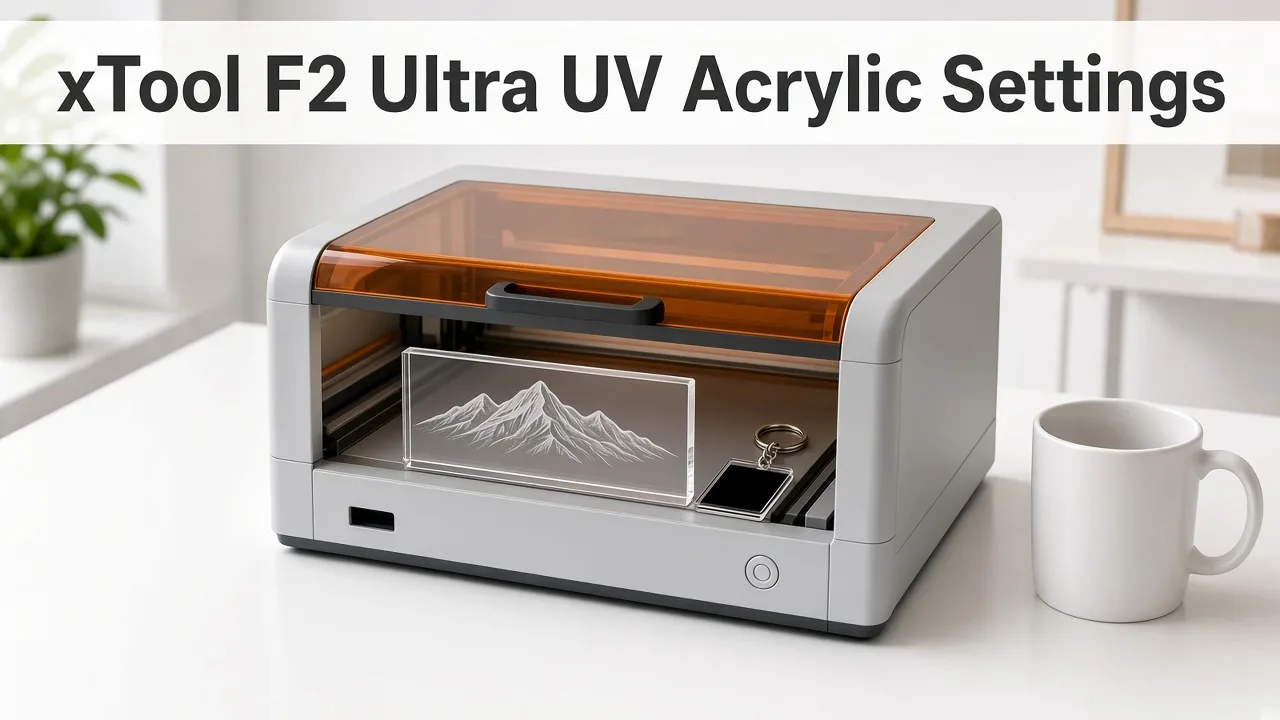 UV gives a crisp frosted mark on clear acrylic, with little melting. (AI-generated illustration, generic machine.)
Quick facts
- Machine: xTool F2 Ultra UV, 5W, 355 nm UV galvo laser
- Clear acrylic (3 mm): 25% power, 400 mm/s, 1 pass, 500 DPI (community)
- Black acrylic (3 mm): 30% power, 500 mm/s, 1 pass (community)
- White acrylic: 28% power, 450 mm/s, 1 pass, dark mark (community)
- Raised white effect on clear: 76% power, 101 mm/s, 299 lines/cm, 40 kHz (L3D Accessories)
- Cutting: up to 12 mm in xTool's lab; slow on a 5W laser
- Inner engraving in acrylic: not supported (xTool)
- Best tip: engrave clear acrylic from the back
Quick answer: the best starting settings
For clear acrylic, start at 25% power, 400 mm/s, 1 pass, 500 DPI.
For black acrylic, start at 30% power, 500 mm/s, 1 pass.
For white acrylic, start at 28% power, 450 mm/s, 1 pass.
Raise power in 5% steps only if the mark is too faint.
xTool F2 Ultra UV acrylic settings chart
| Acrylic | Power | Speed | Passes | DPI / LPC | Frequency | Result | Source |
|---|---|---|---|---|---|---|---|
| 3 mm clear | 25% | 400 mm/s | 1 | 500 DPI | not stated | Frosted, no yellowing | Bonny Creations (community) |
| 3 mm clear | 70% | 300 mm/s | 2 | not stated | not stated | Strong white frost, visible from the side | Bonny Creations (community) |
| Clear, raised white | 76% | 101 mm/s | 1 | 299 LPC | 40 kHz | Raised white effect | L3D Accessories |
| Clear, photo | 99% | not stated (351 dot duration) | not stated | 349 DPI | 40 kHz | Engraves white | L3D Accessories |
| 3 mm black | 30% | 500 mm/s | 1 | not stated | not stated | Light frost, subtle | Bonny Creations (community) |
| Black, vector | 99% | 2501 mm/s | not stated | 199 LPC | 40 kHz | Engraves white | L3D Accessories |
| Black, photo | 44% | not stated (499 dot duration) | not stated | 421 DPI | not stated | Engraves white | L3D Accessories |
| White | 28% | 450 mm/s | 1 | not stated | not stated | Dark, high contrast | Bonny Creations (community) |
| White | 85% | 200 mm/s | 1 | not stated | not stated | Grey/dark mark | Bonny Creations (community) |
| Two-tone, blue layer | 99% | 701 mm/s | 2 | 349 LPC | 40 kHz | Reveals core | L3D Accessories |
| 3 mm cast clear, logo (crosshatch) | 90% | 3500 mm/s | 6 | not stated | 40 kHz | Frosted, about 2 min 50 s | Scrapbook Memories studio, YouTube |
| Frosted acrylic ornament, second pass (crosshatch) | not stated | 375 mm/s | 1 extra pass | not stated | not stated | Fixed under-processed lines | Embrace Making, YouTube |
Note: Two-tone sheets differ a lot by brand. L3D's red-layer recipes needed 4–5 passes at 99% power. Test every new sheet.
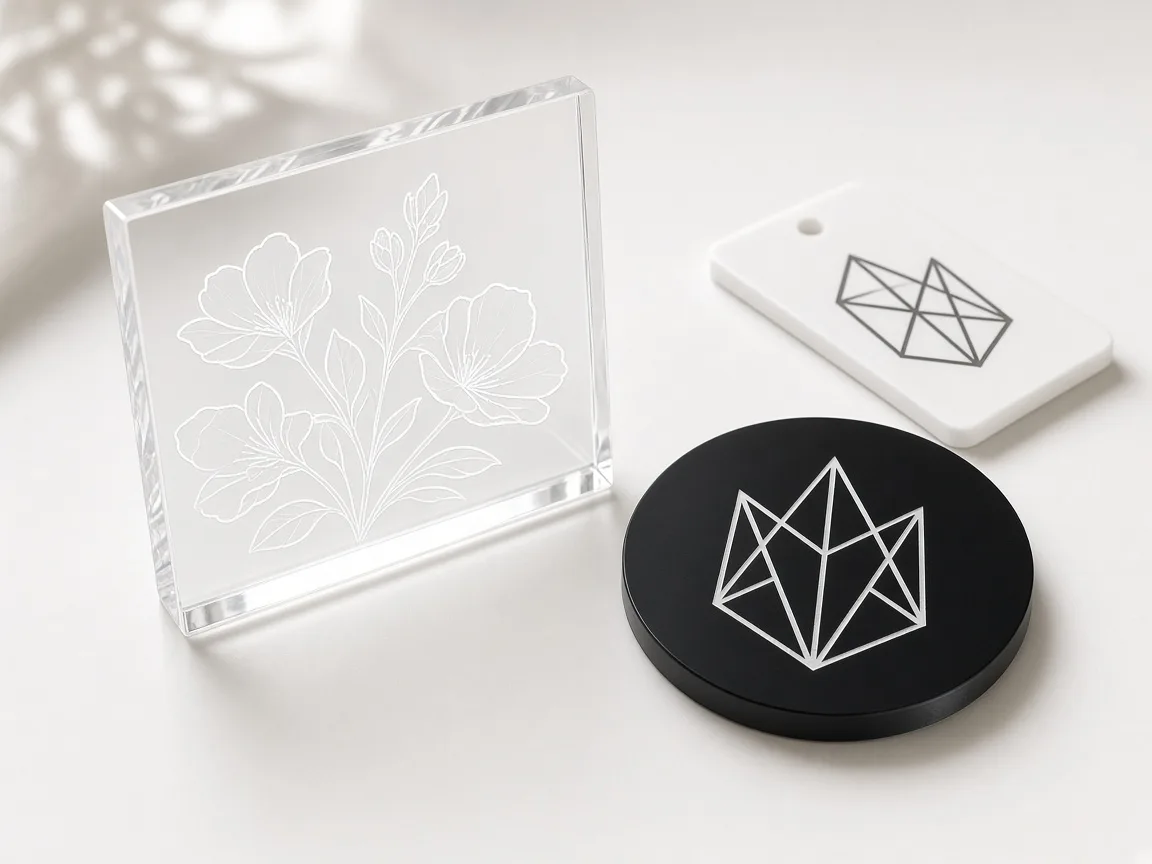 Clear acrylic frosts white, black acrylic marks light, and white acrylic marks dark. (AI-generated example.)
What creators found on video
We read the transcripts of the xTool F2 Ultra UV videos below. Settings are what each creator said; timestamps jump to that moment. Videos that turned out to use a different laser were left out.
| Channel | Video | Material | Settings (as said) | Result / tip |
|---|---|---|---|---|
| Scrapbook Memories studio | Logo on Clear Acrylic | 3 mm cast clear | 90%, 3500 mm/s, 6 passes, 40 kHz, crosshatch | Frosted logo; remove the protective film first |
| Embrace Making | Plastics Guide | 4 mm clear ornament, frosted acrylic | xTool clear 3 mm preset; then 375 mm/s + crosshatch on frosted | No residue or clean-up, unlike CO2; no xTool preset for frosted acrylic |
| Bitner Built | Tested On Glass, Acrylic, Crystals | Clear acrylic | Multiple fast, low passes + crosshatch (values not stated) | Single heavy passes caused bubbling, burning and warping |
| Aurora Tech | In-Depth Review | 150 × 100 mm clear acrylic | not stated | Edges out of focus (curved focal plane); lowering focus 1 mm fixed it, 33 min job |
| Six Eight Woodworks | Complete Review | Clear acrylic sign blank | not stated | Engraved with the paper left on the back; "great results" |
Patterns across creators:
- Many fast, light passes beat one heavy pass on clear acrylic (Scrapbook Memories studio, Bitner Built).
- Crosshatch is the common fix for lines and patchy frost.
- Big pieces need a slightly lower focus because of the curved focal plane.
Watch the best tests
Full settings and the frosted result on 3 mm cast acrylic. (Video: Scrapbook Memories studio on YouTube.)
Why heavy passes bubble clear acrylic, and the multi-pass fix. (Video: Bitner Built on YouTube.)
Fixing blurry edges on a large clear acrylic piece. (Video: Aurora Tech on YouTube.)
Setup tips from the videos
- Remove the top protective film before engraving (Scrapbook Memories studio).
- Back film can stay on to protect the sheet (Embrace Making, Six Eight Woodworks).
- Raise large sheets off the bed on blocks so the beam doesn't mark the slats (Aurora Tech).
- Lower focus about 1 mm on large clear sheets so the whole area is sharp (Aurora Tech).
- Use a fixture so you can re-run a pass in exactly the same place (Embrace Making).
What results to expect
- Clear acrylic: a white frost inside the surface. It glows when lit from the edge.
- Black acrylic: a light frost. Subtle at low power, whiter at high power.
- White acrylic: a grey or dark mark with high contrast.
- No melting edges. xTool lists acrylic as "no melting" when engraved with UV.
Cutting acrylic with the F2 Ultra UV
| Item | Power | Speed | Passes | Source |
|---|---|---|---|---|
| 3 mm black, cut | 100% | 4 mm/s | 3 | Atomm maker project |
| 3 mm black, edge clean-up | not stated | 200 mm/s | 1 | Atomm maker project |
| 3 mm clear, cut | not stated | not stated | not stated | No verified setting (Bonny Creations) |
| Max thickness | — | — | — | 12 mm (xTool lab data) |
- Coloured and opaque sheets cut best. Tom's Hardware lists acrylic as cuttable when it is not fully transparent.
- Cutting is slow. A 5W UV is a marking laser first. A CO2 laser is the better tool for cutting lots of acrylic, especially clear.
- Use air assist and extraction when cutting.
What the settings mean
- Power: higher gives a whiter, deeper frost but more heat.
- Speed: slower puts more energy into each line.
- Lines per cm / DPI: higher fills look smoother but take longer. 300 DPI is a good balance for most jobs (Bonny).
- Frequency: most tested acrylic recipes use 40 kHz.
- Dot duration: used for photo (bitmap) mode instead of speed.
Focus the surface before you trust a power number. The method is in How to Focus a UV Laser Correctly. Build the squares the way How to Calibrate the xTool F2 Ultra UV describes. What to reorder is in Best UV Laser Blanks to Buy and Sell. A repeatable position is the point of self-centering jigs for the F2 Ultra UV, and the smoke is the point of inline fans for the F2 Ultra UV. If you are still choosing the machine, start with the desktop UV laser buying guide.
Step-by-step: engraving acrylic
1. Pick cast acrylic
- Cast acrylic engraves more cleanly than extruded (Bonny Creations).
2. Leave the film on, or peel it
- Peel the protective film from the side you engrave. Keep film on the other side to stop scratches.
3. Mirror for back-engraving
- For clear acrylic, mirror the design and engrave the back. The frost then reads bright from the front.
4. Focus
- Clear acrylic can confuse autofocus, just like glass. Put masking tape on the spot, measure, then subtract the tape thickness.
5. Test
- Run a small grid. Start from the chart and step power by 5%.
6. Engrave and clean
- Wipe dust with a soft cloth. Avoid alcohol on acrylic, which can cause cracking (crazing).
Troubleshooting
| Problem | Likely cause | Fix |
|---|---|---|
| Faint mark on clear | Too little energy or off focus | Refocus with tape, +5% power or a second pass |
| Mark on clear looks grey, not white | Engraving the front | Mirror and engrave the back |
| Black acrylic barely marks | Low power | Try 99% / 2501 mm/s / 199 LPC (L3D) |
| Two-tone core damaged | Too many passes | Cut passes, check after each one |
| Cut not through | Not enough passes | Add a pass; confirm the sheet isn't clear |
| Hazy cracks after cleaning | Alcohol on acrylic | Use soapy water instead |
FAQ
What are the best xTool F2 Ultra UV settings for clear acrylic?
A community starting point is 25% power, 400 mm/s, 1 pass, 500 DPI for a frosted mark. For a stronger white mark, try 70% power, 300 mm/s, 2 passes.
What settings work on black acrylic?
Community: 30% power, 500 mm/s, 1 pass. L3D Accessories got a white mark at 99% power, 2501 mm/s, 199 lines/cm, 40 kHz.
Can the F2 Ultra UV cut acrylic?
Yes. xTool's lab data lists up to 12 mm. One maker cut 3 mm black acrylic at 100% power, 4 mm/s, 3 passes.
Can it cut clear acrylic?
Tom's Hardware lists acrylic as cuttable only when it is not fully transparent. No sourced clear-acrylic cut settings were found.
Does UV engraving yellow acrylic?
Community notes report a frosted mark on clear acrylic with no yellowing, unlike CO2.
Can the F2 Ultra UV engrave inside acrylic?
No. xTool says the F2 Ultra UV cannot do inner engraving on acrylic. Use K9 crystal for inner engraving.
Should I engrave clear acrylic from the back?
Where possible, yes. L3D Accessories suggests back-engraving so the frost shows bright white through the sheet.
Cast or extruded acrylic?
Bonny Creations notes cast acrylic engraves more cleanly than extruded.
Why does my clear acrylic bubble or warp?
Bitner Built saw bubbling, burning and cupping with heavy single passes. Use several fast, low-power passes with crosshatch instead.
Why are the edges of a big acrylic piece blurry?
Aurora Tech found the UV focal plane is curved. Lowering the focus by about 1 mm fixed it on a 150 × 100 mm piece.
Is there an xTool preset for frosted acrylic?
Embrace Making found none for the F2 Ultra UV and reused the clear acrylic preset, then added a slower crosshatch pass.
Final thoughts
Start clear acrylic at 25% and 400 mm/s, black at 30% and 500 mm/s, and white at 28% and 450 mm/s. Engrave clear sheets from the back, test each brand, and use the F2 Ultra UV for marking more than heavy cutting.
Sources
- Bonny Creations, F2 Ultra UV 3mm Clear Acrylic: https://www.bonnycreations.com/settings/machines/xtool-f2-ultra-uv/3mm-clear-acrylic
- Bonny Creations, F2 Ultra UV 3mm Black Acrylic: https://www.bonnycreations.com/settings/machines/xtool-f2-ultra-uv/3mm-black-acrylic
- Bonny Creations, F2 Ultra UV White Acrylic: https://www.bonnycreations.com/settings/machines/xtool-f2-ultra-uv/white-acrylic
- Bonny Creations, F2 Ultra UV settings: https://www.bonnycreations.com/settings/machines/xtool-f2-ultra-uv
- L3D Accessories, F2 Ultra UV acrylic settings: https://www.l3daccessories.com/pages/xtool-f2-ultra-uv-acrylic-settings
- xTool Support, F2 Ultra UV FAQs: https://support.xtool.com/article/2870
- xTool Support, Plastic Engraving: Master 3D Prints and Acrylic: https://support.xtool.com/article/3269
- xTool Support, Processing Parameter Settings: https://support.xtool.com/article/2698
- Atomm, 3mm black acrylic cut on F2 Ultra UV: https://www.atomm.com/materials-lab/community/855-1-8-3mm-black-acrylic
- Tom's Hardware, F2 Ultra UV review: https://www.tomshardware.com/maker-stem/xtool-f2-ultra-uv-dual-laser-engraver-review
- LaserGenerator, xTool settings chart: https://lasergenerator.com/laser-settings/xtool/
- GeekExtreme, UV laser engraver tested settings: https://www.geekextreme.com/uv-laser-engraver-for-glass-tested-settings/
- Reddit r/xToolOfficial, F1 & F2 FAQ: can they cut acrylic?: https://www.reddit.com/r/xToolOfficial/comments/1sx1lv1/f1_f2_faq_can_they_cut_acrylic/
- Scrapbook Memories studio, How to engrave logo on Clear acrylic with xTool F2 Ultra UV (YouTube): https://www.youtube.com/watch?v=SuwBN2Owo-w
- Embrace Making, xTool F2 ULTRA UV Engraving Plastics Guide - 3D Printed PLA, ABS, Acrylic, Golf Balls (YouTube): https://www.youtube.com/watch?v=2h-uN5BJ5g0
- Bitner Built, xTool F2 Ultra Tested On Glass, Acrylic, Crystals & More! (YouTube): https://www.youtube.com/watch?v=FFYq5t4nnwA
- Aurora Tech, xTool F2 Ultra UV Laser In-Depth Review: Wood, Metal, Glass, Clear Acrylic, 3D Crystal & more (YouTube): https://www.youtube.com/watch?v=zitSTxV1cJA
- Six Eight Woodworks, Unmatched Precision & Quality: xTool F2 Ultra UV Laser Complete Review (YouTube): https://www.youtube.com/watch?v=8B7roiC3pJA
Related settings
- xTool F2 Ultra UV Ceramic Settings: Tiles & Mugs Chart (2026)
- xTool F2 Ultra UV Glass Settings: Flat Glass & Rotary Chart (2026)
- xTool F2 Ultra UV PLA Settings: 3D Print Colour Chart (2026)
- xTool F2 Ultra UV Slate Settings: Power, Speed & Frequency Chart (2026)
- xTool F2 Ultra UV Tumbler Settings: Powder-Coated & Stainless (2026)
- Can a UV Laser Engrave Slate?
- Can a UV Laser Engrave Glass?
Keep reading
xTool F2 Ultra UV Tumbler Settings: Powder-Coated & Stainless (2026)
Sourced xTool F2 Ultra UV tumbler settings for powder-coated and bare stainless tumblers on the rotary: power, speed, lines per cm, frequency and the focus offset trick.
Read more9 min read
xTool F2 Ultra UV Ceramic Settings: Tiles & Mugs Chart (2026)
Sourced xTool F2 Ultra UV ceramic settings for glazed tiles and mugs: power, speed, passes and DPI, plus rotary tips, test method and troubleshooting.
Read more9 min read
xTool F2 Ultra UV Slate Settings: Power, Speed & Frequency Chart (2026)
Sourced xTool F2 Ultra UV slate settings for power, speed, passes, lines/cm and frequency, plus a test-grid method, photo tips and troubleshooting.
Read more10 min read