xTool F2 Ultra UV Bamboo Settings: Cutting Boards, Coasters & Plywood (2026)
Sourced xTool F2 Ultra UV bamboo settings for cutting boards, coasters and plywood, with a starting test grid, glue-line tips and food-safe finishing.
19 min read
On this page
- Short answer
- Quick answer: the best starting settings
- xTool F2 Ultra UV bamboo settings chart
- Other UV machines (cross-reference only, not F2 Ultra UV numbers)
- CO2 and diode numbers you should not copy
- What do the settings mean?
- Can the xTool F2 Ultra UV engrave bamboo?
- Which bamboo are you engraving?
- Why does my bamboo engraving have stripes?
- How should I set up a bamboo job?
- What I saw in the videos
- Step-by-step: engraving bamboo on the F2 Ultra UV
- 1. Know your bamboo
- 2. Clean and flatten
- 3. Focus
- 4. Prepare the art
- 5. Grid, then engrave
- 6. Finish
- What should I do if the mark looks wrong?
- Safety, food boards and aftercare
- What I couldn't confirm
- FAQ
- Can the xTool F2 Ultra UV engrave bamboo?
- What are the best F2 Ultra UV settings for a bamboo cutting board?
- Why does my bamboo engraving have stripes?
- Why is my bamboo engraving grey instead of dark brown?
- Is the UV laser faster than a diode on bamboo?
- Can the F2 Ultra UV cut bamboo?
- Is an engraved bamboo cutting board food safe?
- Should I oil a bamboo board before or after engraving?
- Related guides
- Final thoughts
- Sources and further watching
Last updated: November 18, 2026
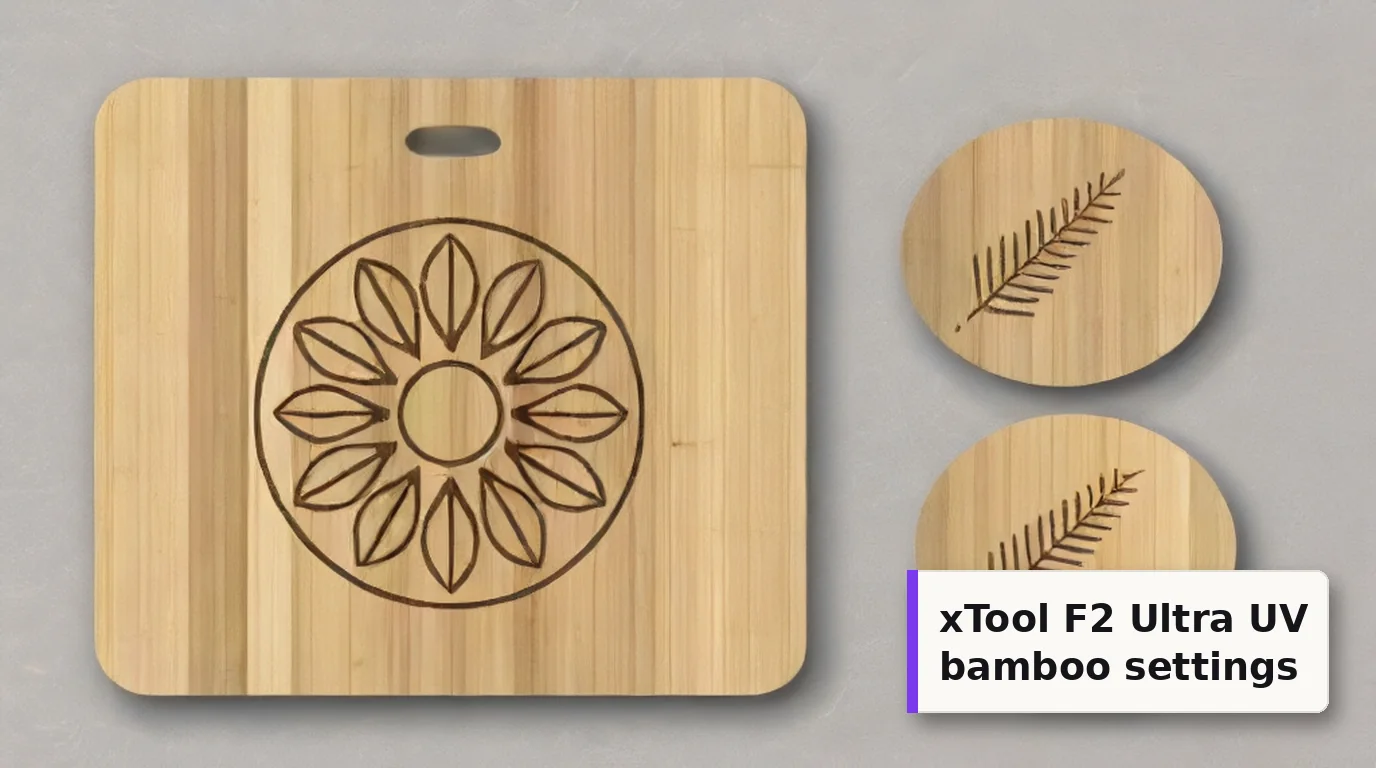 Bamboo gives a crisp brown UV mark on a pale, even background, which is why cutting boards and coasters sell so well. (AI-generated example.)
Bamboo cutting boards are one of the best-selling laser blanks there is. Coasters, utensils, plywood boxes and phone backs aren't far behind. Bamboo isn't actually a wood. It's a grass, and a board is made from strips of it glued side by side. That one fact explains most of what goes right and wrong under a laser.
xTool lists wood among the materials the F2 Ultra UV is designed to process, and xTool's own Atomm library lists the F2 Ultra UV on its official bamboo and bamboo plywood materials. The 5W, 355 nm beam leaves a fine, clean brown mark with very little smoke.
Here's the honest part, up front: xTool's official bamboo parameters only load inside xTool Studio, and I couldn't find them published anywhere. The F2 Ultra UV bamboo numbers that are public are labelled "Estimated" by the site that lists them. So this guide gives you those numbers, what other 5W UV machines were shown running on real bamboo, and a test grid to find your own. The grid is an untested starting point, not a result.
Quick facts
- Machine: xTool F2 Ultra UV, enclosed 5W, 355 nm UV galvo
- Is bamboo supported? Yes. xTool's safety page lists wood, and Atomm lists the F2 Ultra UV on its official 1/8" bamboo and bamboo plywood materials
- Official numbers: load in xTool Studio only. Not published on a public page
- Public F2 Ultra UV bamboo row: cutting board, 42% power, 500 mm/s, 1 pass, 500 DPI (Bonny Creations, labelled Estimated)
- Real bamboo on a 5W UV (not an F2): dark engrave at 80% power, 25 mm/s, 20 kHz, 0.025 mm crosshatch (Laser Everything video, values on screen)
- Frequency window: 40-150 kHz on the F2 Ultra UV
- Biggest pitfalls: oiled boards, glue lines between strips, and engraving too deep
- Food boards: engrave the side you won't cut on, then oil with food-grade mineral oil
Short answer
The xTool F2 Ultra UV engraves bamboo well, with a sharper, cleaner and slightly lighter mark than a diode. There's no public official recipe, so run a material test array on an offcut of the same board. Bracket it with the sourced numbers: the public F2 Ultra UV bamboo rows sit at 40-80% power and 300-600 mm/s, and L3D's pine rows on this machine use 35-50% at 100 mm/s. A sensible first grid is 30-90% power and 100-700 mm/s at 200 lines/cm (about 500 DPI), 40 kHz and 1 pass. That grid is untested. Degrease oiled boards first, keep the engraving shallow, line the art up with the strips, and finish food boards with food-grade mineral oil.
Quick answer: the best starting settings
There's no verified bamboo number to copy, so build a grid. In xTool Studio, choose Applications, then Material test array, and set a power range and a speed range. xTool's guide to the material test array describes this, and notes that even xTool's lab-tested settings are for reference only.
Suggested first grid (untested starting point):
- Power: 30% to 90%
- Speed: 100 to 700 mm/s
- Lines per cm: 200, which is about 500 DPI, the density in the public F2 Ultra UV bamboo rows (100 lines/cm equals 254 DPI)
- Frequency: 40 kHz, the bottom of the F2 Ultra UV's range and the value on every F2 Ultra UV wood row I found that states one
- Passes: 1
Why this window? Every sourced F2 Ultra UV number for bamboo and similar wood sits inside it. The bamboo rows are 40% at 600 mm/s, 42% at 500 mm/s and 80% at 300 mm/s. The L3D pine rows on the same machine are 35% and 50% at 100 mm/s. If you have xTool's official 1/8" bamboo board, load its preset in Studio first and grid around that instead.
Which square to pick: the darkest one with crisp edges, not a grey or powdery one. On bamboo, a shallow, fast mark often looks darker than a slow, deep one.
xTool F2 Ultra UV bamboo settings chart
Every number in this chart comes from a source. Nothing here is my own test. Read the Source column carefully, because none of these is an xTool lab value.
| Item / goal | Power | Speed | Lines/cm or DPI | Passes | Frequency | Source |
|---|---|---|---|---|---|---|
| Bamboo cutting board, engrave | 42% | 500 mm/s | 500 DPI | 1 | not stated | Bonny Creations F2 Ultra UV page, labelled Estimated |
| Bamboo, clean dark mark | 40% | 600 mm/s | 500 DPI | 1 | not stated | Bonny Creations F2 Ultra UV page, labelled Estimated |
| Bamboo, stronger mark | 80% | 300 mm/s | not stated | 1 | not stated | Bonny Creations F2 Ultra UV page, labelled Estimated |
| 1/8" (3 mm) bamboo cutting board, kitchen chart | not shown | not shown | not shown | 2 (maker added a second for light spots) | not shown | Atomm project 154696, F2 Ultra UV |
| xTool official 1/8" bamboo and bamboo plywood | in Studio | in Studio | in Studio | in Studio | in Studio | Atomm Materials Lab, F2 Ultra UV listed |
| Pine rounds, golden brown (wood, not bamboo) | 35% | 100 mm/s | 500 lines/cm | 1 | 40 kHz | L3D F2 Ultra UV library |
| Pine rounds, deep dark (wood, not bamboo) | 50% | 100 mm/s | 500 lines/cm | 2 | 40 kHz | L3D F2 Ultra UV library |
About the Atomm community records: two F2 Ultra UV bamboo records on Atomm hide their values behind a login. The preview text shows the same numbers on both and says "Blue light", so I've treated it as a placeholder and left it out.
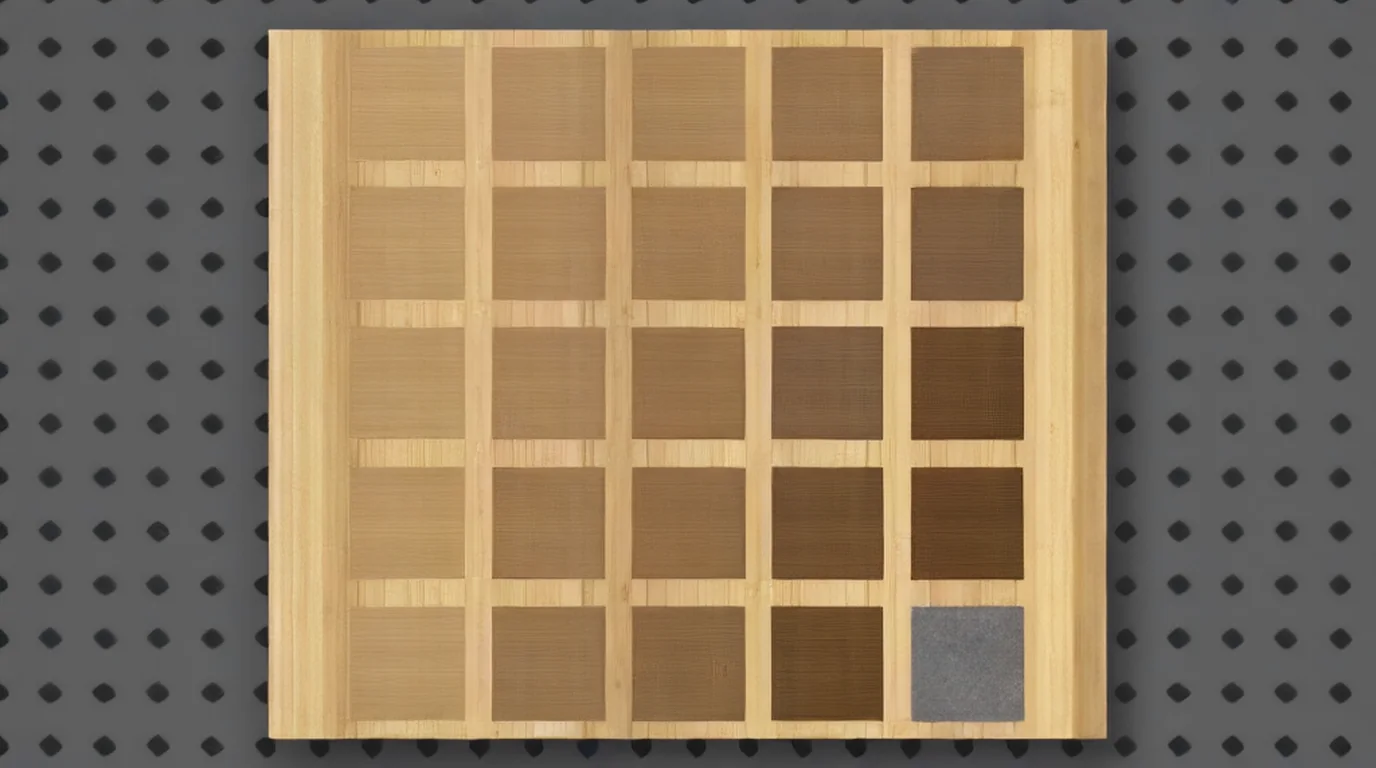 A grid on an offcut from the same board tells you more than any chart. Pick the darkest clean square, not the grey, powdery one. (AI-generated example.)
Other UV machines (cross-reference only, not F2 Ultra UV numbers)
These rows show where other UV machines were set on real bamboo. Different optics and software mean you can't paste them into xTool Studio, but they show the shape of a working window.
| Machine / source | Power | Speed | Frequency | Interval / pulse | Passes | What it was marking |
|---|---|---|---|---|---|---|
| MT-UV 5W, 220 mm lens (Laser Everything video, values on screen) | 80% | 25 mm/s | 20 kHz | 0.025 mm crosshatch, 10 ns | 1 crosshatch (second pass skipped for time) | "Bamboo Dark Engrave" on a cutting board |
| Haotian 5W UV, 150 mm lens (Haotian video, values on screen) | not shown | 300 mm/s | 100 kHz | 0.0063 mm, Q pulse 1.00, Jarvis | not shown | Photo on a bamboo cutting board |
| Haotian 5W UV (Haotian video description) | not stated | 400 mm/s | 20 kHz | Q pulse 10 ns | not stated | Text on a bamboo stick |
| ComMarker Omni 5W, 150 mm lens (ComMarker support table) | not stated | 200 mm/s | 30 kHz | 0.02 mm, pulse width 3 | 1 | Bamboo |
| ComMarker Omni 5W, 70 mm lens (ComMarker support table) | not stated | 400 mm/s | 30 kHz | 0.01 mm, pulse width 4 | 1 | Bamboo |
Two things stand out. Most of these rows run bamboo at 20-30 kHz, which the F2 Ultra UV can't reach, so 40 kHz is your closest option (one Haotian photo job ran at 100 kHz). And Laser Everything's dark engrave came from a very slow crosshatch. Their narration says some of the UV designs "ran way longer than you'd expect".
CO2 and diode numbers you should not copy
Most bamboo charts online are for CO2 and diode lasers. xTool's own bamboo blog suggests 30 power, 150 speed and 100 LPI, but that guide is written around its S1 diode and P2S CO2. Thunder Laser lists 20% at 1,000 mm/s for an 80W CO2. Those are different lasers. Skip them.
What do the settings mean?
- Power (%): laser output. On bamboo, more power darkens the mark up to a point, then the silica in the fibres turns it grey and powdery.
- Speed (mm/s): slower puts more energy into each spot. In Laser Everything's diode test, slowing down was what made the bamboo mark "noticeably deeper and darker".
- Lines per cm: how tightly the fill lines are packed. 100 lines/cm equals 254 DPI, per xTool's parameter guide.
- Frequency (kHz): pulse rate, 40-150 kHz on the F2 Ultra UV.
- Dot duration (µs): used for bitmaps. xTool says 100-500 µs is usual, and too long can cause a whitening effect.
Can the xTool F2 Ultra UV engrave bamboo?
Yes. xTool's F2 Ultra UV safety page lists wood among the materials the UV laser can process, and Atomm's official 1/8" bamboo (HA007-02) and bamboo plywood (PL024-01) both list the F2 Ultra UV as a supported machine. There's also a public F2 Ultra UV project on Atomm: a kitchen conversion chart on a 1/8" bamboo cutting board.
What the sources say about the mark:
- It's sharp. Laser Everything compared diode, CO2 gantry, CO2 galvo and UV on bamboo. They found the UV gave "the sharpest detail and cleanest contrast", especially on small, intricate designs.
- It's a bit lighter and slower than a diode. Chris from L3D, comparing the F2 and F2 Ultra UV on wood, found the UV "much cleaner, much sharper", but "slightly lighter" and slower. The F2's infrared mark was darker but blotchier.
- It's slow on big areas. Laser Everything's UV took about an hour and a half for a small block of text on an end-grain board. Use the F2 Ultra UV for detail, not big solid fills.
Which bamboo are you engraving?
Edge-grain cutting boards are the usual blank. Etchwright notes they're strips glued side by side, so you get long parallel glue lines that can read as stripes across a solid fill.
End-grain (butcher block) boards show the cut ends of the strips. Etchwright says this gives a busier, softer and patchier burn.
Bamboo plywood and thin sheets are what xTool's official 1/8" materials are. They're flat and consistent, which makes them the easiest bamboo to grid.
Carbonised (caramel) bamboo has been heat-treated. LaserSettings warns that its engraving contrast is far weaker than natural bamboo.
Finished products such as spoons, boxes and phone backs may be oiled, lacquered or coated. Thunder Laser points out that coatings, glue layers, density and moisture all change the result, so test the actual product.
Why does my bamboo engraving have stripes?
Those are the glue lines. LaserSettings says the joints between strips can show up as light, regular stripes, and 1c3d describes them as darker bands. Either way, a solid fill makes them obvious.
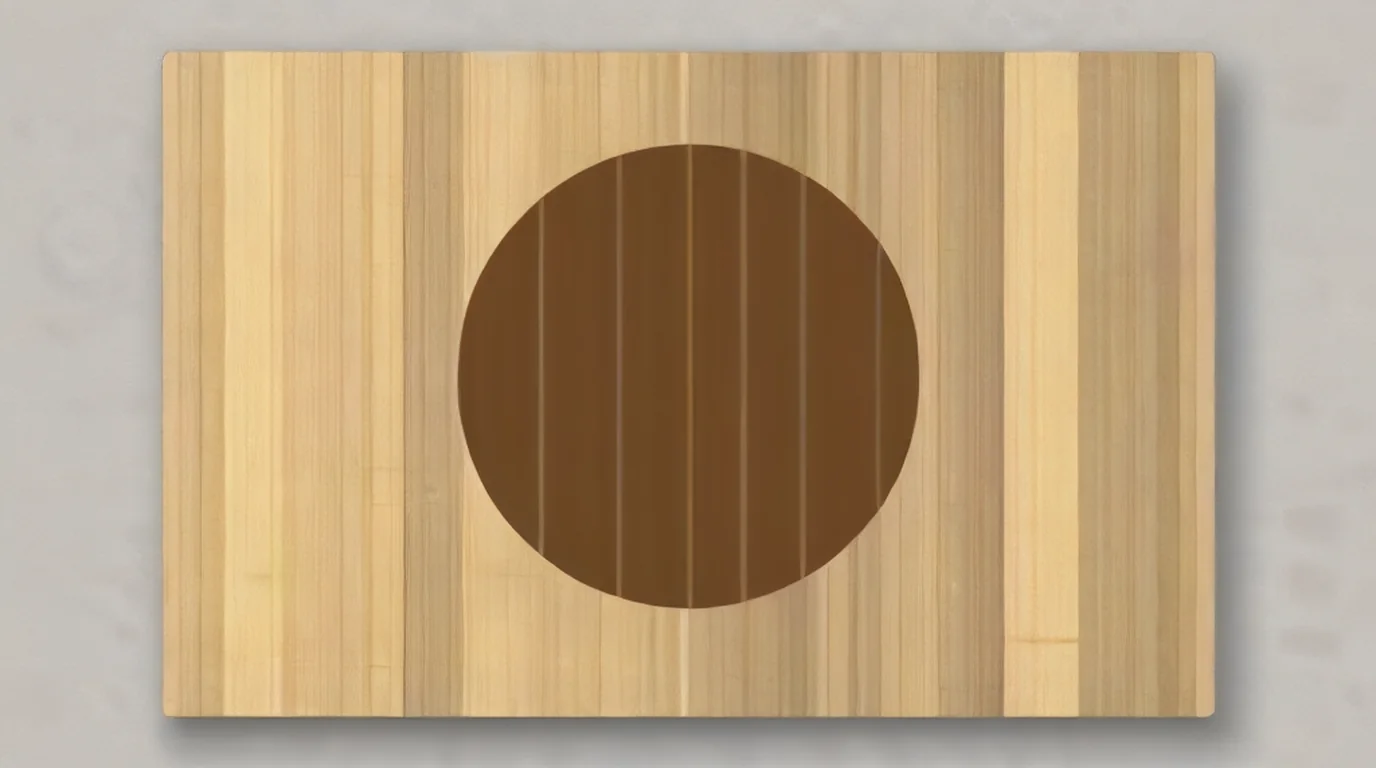 A big solid fill shows every glue line between the strips. Line art and outlines hide them much better. (AI-generated example.)
- Orient the art. LaserSettings suggests turning the design so the glue lines don't cross a face or fine text.
- Prefer line art to big fills. Subliblanks notes that density changes from strip to strip, which is why one logo can look crisp on one side of a board and blotchy on the other.
- Don't chase it with power. More energy on bamboo tends to grey the mark, not even it out.
How should I set up a bamboo job?
- Degrease oiled boards. LaserSettings calls food oil "pitfall number one": a new cutting board is almost always oiled, and the oil smokes, stains around the art and gives uneven contrast. Wipe it with alcohol and let it dry.
- Flatten and clamp. LaserSettings notes that bamboo boards are often slightly warped, and a board bowed by 2 mm loses focus in the centre.
- Focus on the top surface. See how to focus a UV laser. Recheck focus on a thick board.
- Use the right side. Voxelase and BeamSettings both recommend engraving the face you won't cut on, or the back, edge or a serving board.
- Long boards. In Six Eight Woodworks' F2 Ultra UV review, the automatic conveyor feeds longer cutting boards through, as long as they fit the width.
xTool's bamboo blog suggests wiping the board with a damp cloth first for a darker mark. That advice comes from its diode and CO2 guide, and I haven't seen it tested on a UV laser, so try it on your grid offcut before relying on it.
What I saw in the videos
I pulled frames from the videos instead of only reading transcripts. I didn't find an F2 Ultra UV video on bamboo itself, so these are the closest evidence.
- Laser Everything, "The ULTIMATE Laser Guide to Bamboo": The on-screen bar for the UV section reads MT-UV 5W, F=330 220 mm F-theta lens, crosshatch, 0.025 mm interval, pulse 10 ns, 25 mm/s, 80% and 20 kHz, labelled "Bamboo Dark Engrave". A note says the raccoon design skipped its second crosshatch pass because of time. On the CO2 gantry, the marks looked dull and dusty until they were wiped down.
- Haotian Laser, "Bamboo Wood Engraving with Haotian UV Laser 5W | 150mm Lens": A detailed photo engraving on a bamboo cutting board. The overlay reads speed 300, frequency 100, Q pulse 1.00, line interval 0.0063 and Jarvis. No power is shown.
- Chris from L3D, "F2 vs F2 Ultra UV": On wood, the Ultra UV came out cleaner and sharper but slightly lighter and slower than the F2's infrared laser.
- Haotian Laser, "5W UV marking on bamboo": Small text on a bamboo stick. The description lists 400 mm/s, 20 kHz and a 10 ns pulse width.
Step-by-step: engraving bamboo on the F2 Ultra UV
1. Know your bamboo
Check whether it's edge grain, end grain, plywood or carbonised, and whether it's oiled, lacquered or raw.
2. Clean and flatten
Wipe oiled boards with alcohol and let them dry. Clamp or weight a warped board flat.
3. Focus
Focus on the top surface of the board, and refocus if you change blanks.
4. Prepare the art
Use line art and outlines rather than big solid fills, and turn the design so the glue lines don't cross fine text or faces.
5. Grid, then engrave
Run a 5 x 5 material test array on an offcut from 30-90% power and 100-700 mm/s, at 200 lines/cm, 40 kHz and 1 pass. Pick the darkest clean square, then run the job with the lid closed and extraction on.
6. Finish
Wipe off residue, then oil food boards with food-grade mineral oil after engraving, not before.
What should I do if the mark looks wrong?
| Problem | Likely cause | What to try |
|---|---|---|
| Mark is too light | Too fast or too little power | Slow down first, then raise power in small steps |
| Mark is grey and powdery | Too much energy, engraving too deep | Speed up or lower power, and keep it shallow |
| Regular stripes through a fill | Glue lines between strips | Rotate the art, or switch to line art |
| Blotchy patches | Density changes strip to strip, or an oiled surface | Degrease the board, test on the same board |
| Sharp in one corner, soft in the middle | Board is warped | Clamp it flat and refocus |
| Brown smoke stain around the art | Surface oil or finish burning | Degrease, or mask the face first |
| Weak contrast on a dark board | Carbonised bamboo | Use natural bamboo for high contrast |
| Job takes forever | Big solid fill on a UV | Use outlines, or a faster laser for big fills |
Safety, food boards and aftercare
- Glue matters. 1c3d notes that some laminating glues are formaldehyde-based, and Etchwright says you're engraving "a plant plus whatever glue held it together". Ask the supplier how a board is bonded, and keep extraction running.
- Engrave the back, not the cutting face. BeamSettings found no source that tests laser-engraved cutting surfaces for food safety, so the cautious choice is the back, the edge, or a serving board.
- Oil after, with food-grade oil. Voxelase says to oil after engraving, with food-grade white mineral oil, which is covered by 21 CFR 172.878. 1c3d warns not to swap in mineral oil that isn't labelled for food use.
- Hand wash only. LaserSettings says the engraving survives hand washing, but the dishwasher can unglue the panel joints.
- Vacuum the bed. LaserSettings says bamboo silica dust is abrasive, so clean the bed after every bamboo run and check the lens more often. Subliblanks adds that fine bamboo dust can ignite, so don't leave the machine unattended.
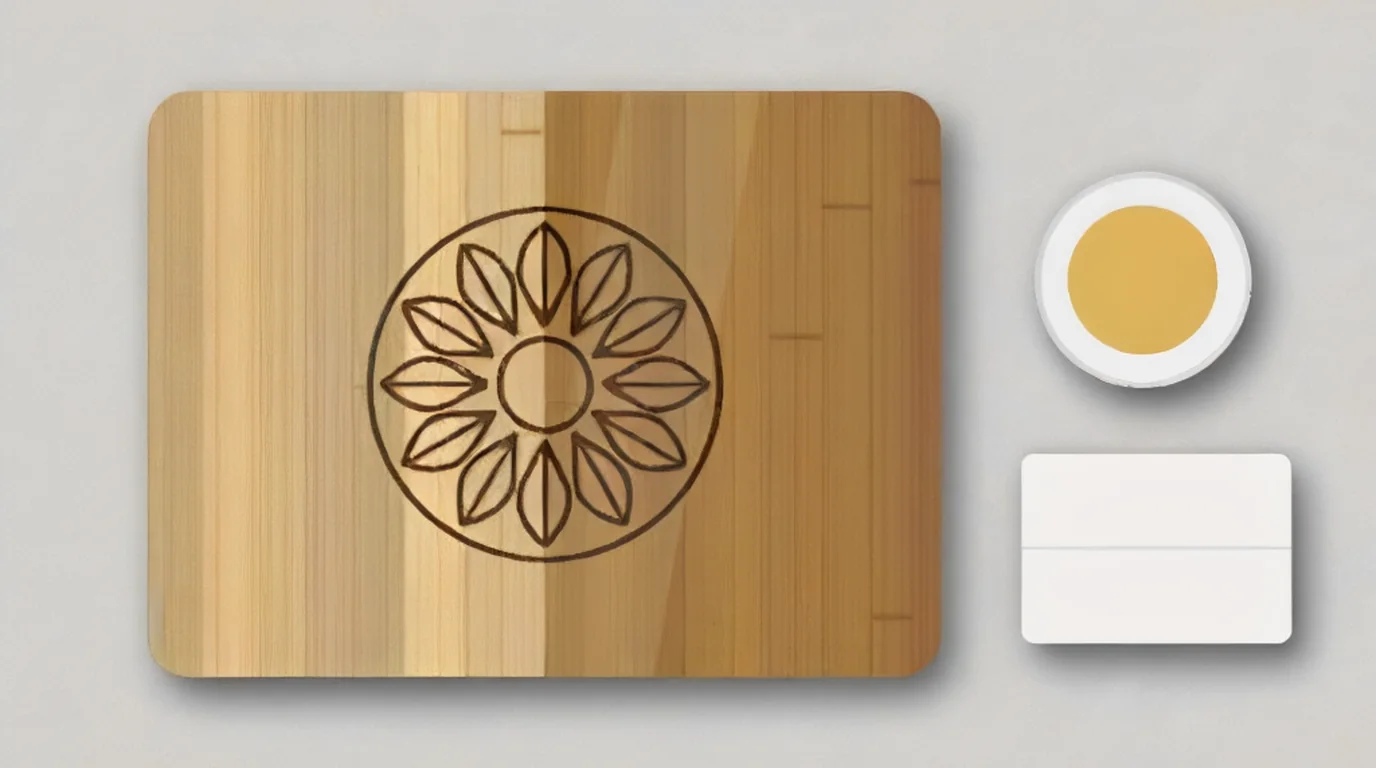 Food-grade mineral oil deepens both the bamboo and the engraving. Oil after engraving, never before. (AI-generated example.)
What I couldn't confirm
- xTool's own Studio values for its 1/8" bamboo and bamboo plywood on the F2 Ultra UV.
- A tested, not estimated, F2 Ultra UV bamboo recipe with every value visible.
- How frequency changes a bamboo mark on this machine, since the other UV sources ran at 20-30 kHz.
- Whether the damp-cloth trick darkens a UV mark the way xTool says it does on other lasers.
- Whether any laminating glue used in a particular board is safe to engrave. That depends on the supplier.
FAQ
Can the xTool F2 Ultra UV engrave bamboo?
Yes. xTool lists wood among the materials it can process, and Atomm lists the F2 Ultra UV on its official bamboo and bamboo plywood materials. The mark is sharp and clean, a little lighter than a diode's.
What are the best F2 Ultra UV settings for a bamboo cutting board?
There isn't a verified number to copy. A public row lists 42% power, 500 mm/s, 1 pass and 500 DPI, but it's labelled Estimated. Run a material test array from 30-90% power and 100-700 mm/s at 200 lines/cm, 40 kHz and 1 pass, and pick the darkest clean square.
Why does my bamboo engraving have stripes?
They're usually the glue lines between the strips. Rotate the design so the lines don't cross fine text or faces, and use line art instead of big solid fills.
Why is my bamboo engraving grey instead of dark brown?
Usually too much energy. LaserSettings says the silica in bamboo turns a deep engraving grey and powdery, and a shallow, fast engraving gives a better dark mark. Speed up or lower power.
Is the UV laser faster than a diode on bamboo?
No. In Laser Everything's test, the UV gave the sharpest detail, but it took about an hour and a half for a small block of text on an end-grain board. A CO2 galvo ran bolder text in about 2 minutes. Use the UV for detailed work.
Can the F2 Ultra UV cut bamboo?
I found no F2 Ultra UV bamboo cutting record. LaserSettings says bamboo cuts poorly because of its silica content and the glue joints between strips. Treat this as an engraving job.
Is an engraved bamboo cutting board food safe?
There's no test I could find for laser-engraved cutting surfaces. The cautious approach is to engrave the side you won't cut on, check the board's glue with the supplier, and finish it with food-grade mineral oil.
Should I oil a bamboo board before or after engraving?
After. LaserSettings says oil smokes and stains during engraving, so degrease an oiled board first, then oil it once the job is done.
Related guides
- xTool F2 Ultra UV wood settings
- xTool F2 Ultra UV cork settings
- xTool F2 Ultra UV leather settings
- xTool F2 Ultra UV paper settings
- How to focus a UV laser
- How to calibrate the xTool F2 Ultra UV
- Best self-centering jigs for the F2 Ultra UV
- Best inline fans for the F2 Ultra UV
- Best UV laser blanks to buy and sell
- UV laser project ideas
Final thoughts
Bamboo is one of the most rewarding materials for the F2 Ultra UV, but there's no public recipe to copy. Degrease the board, clamp it flat, and run a material test array on an offcut. Pick the darkest clean square, not the deepest one. Line the art up with the strips, use outlines instead of big fills, and engrave the side you won't cut on. Finish with food-grade mineral oil, and save the UV for detailed work rather than huge fills.
Sources and further watching
- xTool Support - Safety First for xTool F2 Ultra UV (article 2753): https://support.xtool.com/article/2753
- xTool Support - Processing Parameter Settings / Material test array (article 2698): https://support.xtool.com/article/2698
- xTool Support - Processing Parameters for xTool F2 Ultra UV (article 2699): https://support.xtool.com/article/2699
- Atomm Materials Lab - 1/8" (3mm) Bamboo (official): https://www.atomm.com/materials-lab/official/2372-1-8-3mm-bamboo
- Atomm Materials Lab - 1/8" (3mm) Bamboo Plywood (official): https://www.atomm.com/materials-lab/official/2095-1-8-3mm-bamboo-plywood
- Atomm - Kitchen Quick Reference Bamboo Cutting Board (F2 Ultra UV project): https://www.atomm.com/project/154696-kitchen-quick-reference-bamboo-cutting-board-with-cooking-conversion-charts
- Atomm - Wood for laser engraving: https://www.atomm.com/c/laser-wood
- xTool - Bamboo Laser Engraving: Step-By-Step Guide: https://www.xtool.com/blogs/xtool-academy/bamboo-laser-engraving
- Bonny Creations - xTool F2 Ultra UV bamboo cutting board settings: https://www.bonnycreations.com/settings/machines/xtool-f2-ultra-uv/bamboo-cutting-board
- Bonny Creations - xTool F2 Ultra UV bamboo settings: https://www.bonnycreations.com/settings/machines/xtool-f2-ultra-uv/bamboo
- L3D Accessories - xTool F2 Ultra UV laser settings: https://www.l3daccessories.com/pages/xtool-f2-ultra-uv-laser-settings
- ComMarker Support - How to Perform Cutting (Omni 5W material table): https://support.commarker.com/hc/en-us/articles/49717629130649-How-to-Perform-Cutting
- LaserSettings - Solid bamboo: laser engraving and cutting: https://lasersettings.fr/en/material/bambou-massif
- Thunder Laser - Bamboo laser engraving and cutting guide: https://www.thunderlaser.com/laser-wiki/material-applications/bamboo-laser-engraving-cutting.html
- Etchwright - Engrave a bamboo cutting board: https://etchwright.shop/engrave-bamboo-cutting-board
- Etchwright - Is bamboo safe to laser engrave: https://etchwright.shop/bamboo-safe-to-laser-engrave
- Subliblanks - Laser engraving on bamboo: https://subliblanks.com/blogs/news/laser-engraving-bamboo
- 1c3d - Food-safe laser engraving: cutting boards, coasters and kitchenware: https://1c3d.com/howtos/food-safe-laser-engraving-cutting-boards-coasters-kitchenware
- Voxelase - Laser engraved cutting boards: https://voxelase.com/blog/laser-engraved-cutting-boards/
- BeamSettings - Laser settings for bamboo: https://beamsettings.com/materials/bamboo/
- eCFR - 21 CFR 172.878 White mineral oil: https://www.ecfr.gov/current/title-21/chapter-I/subchapter-B/part-172/subpart-I/section-172.878
- Wikipedia - Bamboo: https://en.wikipedia.org/wiki/Bamboo
Further watching (embeds)
- Laser Everything - "The ULTIMATE Laser Guide to Bamboo | EVEN Results on EVERY Machine": https://www.youtube.com/watch?v=tsaWYeTnIl8
- Haotian Laser - "Bamboo Wood Engraving with Haotian UV Laser 5W | 150mm Lens": https://www.youtube.com/watch?v=nRNjrGViQzA
- Chris from L3D - "F2 vs F2 Ultra UV - I Tested Both So You Don't Have To": https://www.youtube.com/watch?v=0FGmMp1n7Kc
Also referenced: Haotian Laser - "5W UV marking on bamboo" (https://www.youtube.com/watch?v=DiPI6UvZMv8) and Six Eight Woodworks - "Unmatched Precision & Quality: xTool F2 Ultra UV Laser Complete Review" (https://www.youtube.com/watch?v=8B7roiC3pJA).
Bamboo coasters and cutting boards engraved on diode, CO2 gantry, CO2 galvo and a 5W UV laser, with the settings shown on screen for each machine. (Video: Laser Everything on YouTube.)
A 5W UV laser with a 150 mm lens engraves a detailed photo on a bamboo cutting board, with speed, frequency, Q pulse and line interval shown on screen. (Video: Haotian Laser on YouTube.)
The xTool F2 and F2 Ultra UV are compared on wood, metal, glass and crystal; on wood the UV mark is cleaner and sharper but slightly lighter and slower. (Video: Chris from L3D on YouTube.)
Related settings
- xTool F2 Ultra UV Granite Settings: Black Granite, Memorials & Rocks (2026)
- xTool F2 Ultra UV Polycarbonate Settings: PC Sheet, Cases & Cards (2026)
- xTool F2 Ultra UV Cork Settings: Coasters, Sheets & Photo Chart (2026)
- xTool F2 Ultra UV Marble Settings: Black, White & Green Marble Chart (2026)
- xTool F2 Ultra UV Gold Settings: Solid, Gold-Filled & Gold-Plated Jewelry (2026)
- xTool F2 Ultra UV Silver Settings: Sterling Silver Jewelry, Tags & Pendants (2026)
- xTool F2 Ultra UV Copper Settings: Sheet, Tags & Copper-Clad PCB Blanks (2026)
- xTool F2 Ultra UV Aluminum Settings: Bare Sheet, Cards, Tags & ID Plates (2026)
- xTool F2 Ultra UV Silicone Settings: Wristbands, Watch Bands & Phone Cases (2026)
- xTool F2 Ultra UV Titanium Settings: Color Mark, Dark Mark & Jewelry Chart (2026)
- xTool F2 Ultra UV Paper & Cardstock Settings (2026 Guide)
- xTool F2 Ultra UV ABS Settings: Presets, Test Grid & Safety Guide (2026)
- xTool F2 Ultra UV Brass Settings: Tags, Sheet & Coin Emboss Chart (2026)
- xTool F2 Ultra UV Crystal Settings: 3D Inner Engraving Guide (2026)
- xTool F2 Ultra UV Anodized Aluminum Settings: Business Cards & More (2026)
- xTool F2 Ultra UV Leather Settings: Genuine, Faux & Leatherette Chart (2026)
- xTool F2 Ultra UV Stainless Steel Settings: Dark, White, Color & Photo Chart (2026)
- xTool F2 Ultra UV Wood Settings: Basswood, Plywood, Pine & MDF Chart (2026)
- xTool F2 Ultra UV Acrylic Settings: Clear, Black & White Chart (2026)
- xTool F2 Ultra UV Ceramic Settings: Tiles & Mugs Chart (2026)
- xTool F2 Ultra UV Glass Settings: Flat Glass & Rotary Chart (2026)
- xTool F2 Ultra UV PLA Settings: 3D Print Colour Chart (2026)
- xTool F2 Ultra UV Slate Settings: Power, Speed & Frequency Chart (2026)
- xTool F2 Ultra UV Tumbler Settings: Powder-Coated & Stainless (2026)
- Can a UV Laser Engrave Slate?
- Can a UV Laser Engrave Glass?
Keep reading
xTool F2 Ultra UV Granite Settings: Black Granite, Memorials & Rocks (2026)
Sourced xTool F2 Ultra UV granite settings for polished black and light granite, with a starting test grid, deep relief, paint fill and silica safety.
Read more20 min read
xTool F2 Ultra UV Polycarbonate Settings: PC Sheet, Cases & Cards (2026)
Sourced xTool F2 Ultra UV polycarbonate settings for clear, white and black PC, with a starting test grid, mark colors, fume safety and fixes.
Read more18 min read

xTool F2 Ultra UV Cork Settings: Coasters, Sheets & Photo Chart (2026)
Sourced xTool F2 Ultra UV cork settings for coasters, thin sheet and photos, with xTool's presets, a test grid, cutting notes and cleanup tips.
Read more20 min read