xTool F2 Ultra UV Glass Settings: Flat Glass & Rotary Chart (2026)
Sourced xTool F2 Ultra UV glass settings for frosted surface engraving on flat glass, pint glasses and wine glasses, plus focusing tips, glass types and fixes.
16 min read
On this page
- Quick answer: the best starting settings
- xTool F2 Ultra UV glass settings chart
- What creators found on video
- Watch the best tests
- Photo engraving on glass
- Setup tips from the videos
- What results to expect
- Why UV works on bare glass
- Which glass works (and which to avoid)
- Focusing on glass: the step that matters most
- Step-by-step: engraving flat glass
- 1. Check the lens
- 2. Clean
- 3. Support it
- 4. Focus
- 5. Test
- 6. Engrave
- Engraving wine glasses and cups with the rotary
- Inner engraving (3D inside glass)
- Troubleshooting
- FAQ
- What are the best xTool F2 Ultra UV glass settings?
- Do I need to coat glass before UV engraving?
- Why won't autofocus work on glass?
- Can the F2 Ultra UV cut glass?
- Which glass types work best?
- Can it engrave inside glass?
- Why did my glass crack?
- Should I lower the focus when engraving glass?
- Should I warm glasses before engraving?
- Is one pass or two passes better for glass photos?
- Do I need the rotary for wine glasses?
- Final thoughts
- Sources
Last updated: October 28, 2026
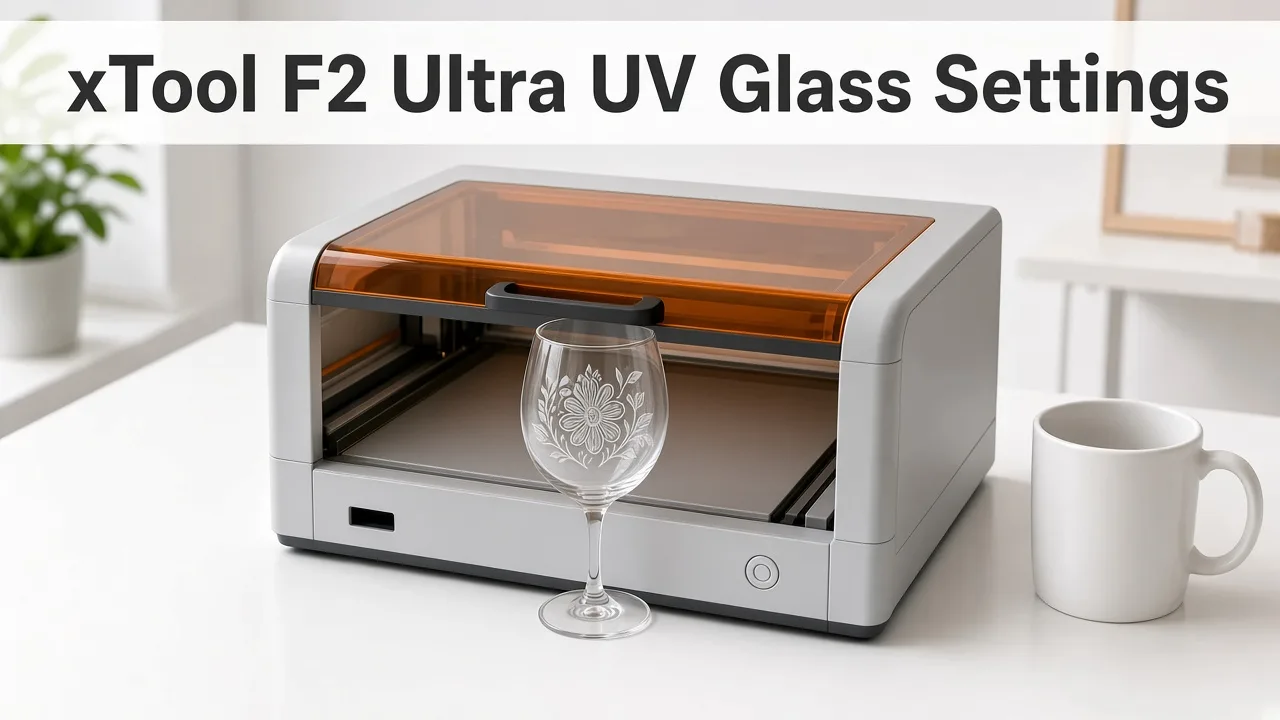 A UV laser frosts bare glass directly, with no paint or marking spray. (AI-generated illustration, generic machine.)
Quick facts
- Machine: xTool F2 Ultra UV, 5W, 355 nm UV galvo laser
- Frosted glass (light): 35% power, 300 mm/s, 1 pass, 600 DPI (community)
- Frosted glass (strong): 90% power, 150 mm/s, 1 pass (community)
- Glass cup text (rotary): 80% power, 125 mm/s, 300 lines/cm, 40 kHz (GeekExtreme test)
- Coating needed? No
- Focus depth on glass: only about 2–3 mm (xTool)
- Autofocus: put paper or masking tape on the glass first, then subtract its thickness
- Max glass cutting thickness: 1 mm (xTool lab data)
- Avoid: tempered and laminated glass
- Creator tip: lower focus 1–4.5 mm below the measured surface, then test (YouTube)
Quick answer: the best starting settings
For flat glass, start at 35% power, 300 mm/s, 1 pass, 600 DPI.
For a brighter, heavier frost, try 90% power, 150 mm/s, 1 pass.
For text on a cup in the rotary, a tested starting point is 80% power, 125 mm/s, 300 lines/cm, 40 kHz.
Focus matters more than any number here. Get the focus right before you change power.
xTool F2 Ultra UV glass settings chart
| Item | Power | Speed | Passes | DPI / LPC | Frequency | Rotary | Source |
|---|---|---|---|---|---|---|---|
| Clear glass, light frost | 35% | 300 mm/s | 1 | 600 DPI | not stated | No | Bonny Creations (community) |
| Clear glass, mark | 80% | 200 mm/s | 1 | not stated | not stated | No | Bonny Creations (community) |
| Clear glass, strong frost | 90% | 150 mm/s | 1 | not stated | not stated | No | Bonny Creations (community) |
| Soda-lime cup, text | 80% | 125 mm/s | 1 (shown on screen) | 300 LPC | 40 kHz | Yes (RA3, Chuck mode, shown on screen) | Chris from L3D, YouTube (also cited by GeekExtreme) |
| Soda-lime cup, photo | 94% | 751 µs dot duration, Jarvis (shown on screen) | 1 | 505 DPI | 40 kHz | Yes (RA3, Chuck mode) | Chris from L3D, YouTube |
| Curved whiskey glass (curve mapping) | 100% | 100 mm/s | 1 | 500 LPC | 40 kHz | Roller rotary, Curved material mode, Scanning (shown on screen) | The Clack Shack, YouTube |
| Cup, rotary (vector) | 90% | 180 mm/s | 1 | 300 LPC | 40 kHz, bi-directional (shown on screen) | Yes (Chuck mode; focus 137.3 → 133.0 mm, shown on screen) | Revved Up Design, YouTube |
| Glass, rotary RA3 | 90% | 190 mm/s | not stated | 500 LPC | default | Yes (RA3) | Maker Foundry, YouTube |
| Shot glass (vector) | 75% | 100 mm/s | 1 | 300 LPC | 40 kHz, bi-directional (shown on screen) | No (flat, bare on slats, shown on screen) | Utinni Designs, YouTube |
| Glass disk, tested best | 80% | 160 mm/s | 1 (shown on screen) | 300 LPC | 40 kHz, bi-directional (shown on screen) | No (flat, thickness 21.2 mm, shown on screen) | DAYGONE LASERCRAFT, YouTube |
| Flat glass photo (2 passes) | 94% | 748 µs dot duration, Jarvis (shown on screen) | 2 | 505 DPI | 40 kHz | No (flat, thickness 53.6 mm, shown on screen) | Chris from L3D, YouTube |
| Shot glass photo | 85% | 500 µs dot duration, Jarvis (shown on screen) | 1 | 600 DPI | 40 kHz | No (flat; focus 49.2 → 48.2 mm, shown on screen) | Utinni Designs, YouTube |
| Glass bottles, mirrors | 80% | 500 mm/s | not stated | 500 LPC | not stated | not stated | LaserGenerator chart (starting point) |
Note: Settings vary by glass batch. GeekExtreme saw identical settings work on one pint glass and fail on another cup. Always test on a spare.
What creators found on video
We watched 14 F2 Ultra UV glass videos and read their transcripts. Settings below are what each creator said on screen; timestamps jump to the moment.
| Channel | Video | Material | Settings | Result / tip |
|---|---|---|---|---|
| Chris from L3D | Rotary Glass Engraving Tutorial | Tapered pint glass, RA3 chuck | Text: 80%, 125 mm/s, 300 LPC, 40 kHz. Photo: 751 µs dot duration, 94%, 505 DPI, Jarvis, 1 pass, 40 kHz; Chuck mode, Auto adjust and Image correction on (shown on screen) | Paper on glass for focus, then subtract 0.1 mm (136.2 → 136.1) |
| Chris from L3D | Perfect Glass Photo Engravings | Flat glass, photo | 748 µs dot duration, 94%, 505 DPI, Jarvis, 40 kHz, 2 passes; thickness 53.6 mm (shown on screen) | 1 pass "nice", 2 passes "excellent"; about 13 min 20 s for 2 passes. Framing light at 10 for clear glass |
| Revved Up Design | Glass Engraving Tutorial | Tapered glass, full wrap, Chuck mode | 90%, 180 mm/s, 1 pass, 300 LPC, 40 kHz (shown on screen) | Defocus 4.5 mm down (137.3 → 133). Set the design before changing height, as the camera re-captures. Warm glass first |
| Maker Foundry | Engrave Glass with RA3 + Settings | Glass, 256 mm circumference | 90%, 190 mm/s, 500 LPC, default frequency, bi-directional | No crosshatch needed |
| Maker Foundry | Calibration + First Test on Glass | Flat glass | 100%, 190–195 mm/s, 500 LPC, 40 kHz | "No fracturing"; looked good from the back too |
| The Clack Shack | Curved Surface Glass Engraving | Whiskey glass, roller rotary, Curved material mode | 100%, 100 mm/s, 1 pass, 500 LPC, 40 kHz | 10 × 10 measurement points over 54 × 54 mm; two glasses cracked on earlier runs (thin text); tape used for framing, removed before engraving |
| Utinni Designs (Justin Jacobs) | Shot Glasses Workshop | Shot glasses | Vector: 75%, 100 mm/s, 1 pass, 300 LPC, 40 kHz, bi-directional. Image: 500 µs dot duration, 85%, 600 DPI, 1 pass, 40 kHz, Jarvis | Drop focus about 1–1.5 mm; if it fails, drop 0.5 mm more, but go back up if over 2 mm below. On screen: a solid, even frosted white result |
| DAYGONE LASERCRAFT | UV Laser vs Glass | Glass disk on painter's tape | xTool preset 90%, 300 mm/s, 300 LPC; test best 80%, 160 mm/s, 300 LPC, 40 kHz | Ran a material test array; crisp, even frosted result and test grid shown on screen; save working settings as a user material |
| COPPER GROVE CREATIONS | Step-by-Step Tutorial | Tequila glass | 90%, 300 mm/s, 1 pass, 300 LPC, 40 kHz | 48-second job for a small add-on design |
| Cleveland Laser Engraving | Glass Engraving: Easier Than You Think | Perfume bottle | not stated | Being 1 mm off can stop it engraving; caliper read 34 mm vs auto-measure 35 mm, so they used 34 |
| Seams Legit | Engraving on glass | Square glass bottle | xTool "clear soda lime glass" preset (values not stated) | White paper on glass to measure height; gold pigment fill |
| The Crafty Blog Stalker | 3D Inner Engraving | K9 crystal block | xTool preset (values not stated) | Must be K9 crystal; fit riser and inner-engraving lens |
| David Hawke | Polish Embossed Glass | Embossed glass bottle | not stated | Embossed glass came out dull and sharp-edged; a polishing wheel helped only partly |
| xTool | Glass Master | Glass | not stated | Brand promo: no coating, "no chipping, no stress marks" (manufacturer claim) |
Verified from the video: we checked the xTool Studio settings panel in 7 clips (Chris from L3D ×2, Revved Up Design, Utinni Designs ×2, DAYGONE LASERCRAFT, The Clack Shack). The narrated values matched the on-screen values in all 7.
Patterns across creators:
- Most vector settings sit at 75–100% power, 100–300 mm/s, 300–500 LPC, 40 kHz.
- Lowering focus is the most repeated tip, from 0.1 mm (paper thickness) to 4.5 mm.
- Cracks happened in testing (The Clack Shack), usually on fine graphics pushed too hard.
Watch the best tests
DAYGONE LASERCRAFT runs a material test array and lands on 80% power, 160 mm/s. (Video: DAYGONE LASERCRAFT on YouTube.)
Full RA3 rotary set-up on a tapered pint glass, from focus to settings. (Video: Chris from L3D on YouTube.)
Shot glasses at 75% power, 100 mm/s, with the "drop the focus" method explained. (Video: Utinni Designs on YouTube.)
Photo engraving on glass
| Creator | Dot duration | Power | DPI | Dither | Passes | Focus | Source |
|---|---|---|---|---|---|---|---|
| Chris from L3D | 748–751 µs | 94% | 505 | Jarvis | 1–2 | Surface (paper method, −0.1 mm) | Video, shown on screen |
| Utinni Designs | 500 µs | 85% | 600 | Jarvis | 1 | 1 mm below surface (49.2 → 48.2 mm) | Video, shown on screen |
- Two passes gave Chris from L3D his best photo finish, at about double the time.
- Frequency was 40 kHz in both.
Setup tips from the videos
- Paper on glass for framing and focus. Lay white paper on the glass so the camera and framing can see it (Chris from L3D, Seams Legit). Subtract its thickness, about 0.1 mm.
- Painter's tape on the edges. DAYGONE LASERCRAFT held a glass disk in place with 4 pieces of painter's tape.
- Remove the tape on curved glass. The Clack Shack used tape for framing, then carefully removed it before engraving.
- Curved material mode with a 3D surface map for uneven glass: The Clack Shack sampled 10 × 10 points into a point-cloud map.
- Chuck mode for tumblers and tapered glasses. Chris from L3D and Revved Up Design both used Chuck mode on the rotary.
- Framing light at 10% so you can see the outline on clear glass (Chris from L3D).
What results to expect
- A frosted white mark. UV breaks the surface into a fine frost that scatters light.
- More passes darken the frost. Bonny's notes say extra passes make the mark stronger.
- Steady results. In GeekExtreme's side-by-side test, the F2 Ultra UV engraved bare glass with more repeatable results than an IR laser that needed coating.
- Job time. Their rotary cup job took about 13 minutes 26 seconds.
Why UV works on bare glass
- Short wavelength. At 355 nm the beam can break chemical bonds instead of only heating the surface.
- Less heat. Reviewers call it "cold", but the spot still gets very hot. The fair claim is less heat damage than IR or diode, not zero heat.
- No prep. No tempera paint, no marking spray and no clean-up step.
Which glass works (and which to avoid)
| Glass type | Typical items | How it engraves |
|---|---|---|
| Soda-lime | Wine glasses, pint glasses, bottles | Best starting material |
| K9 crystal | Awards, crystal blocks | Engraves well; also used for inner engraving |
| Borosilicate | Lab glass, coffee gear | May not engrave (xTool); may need more energy (Maker's Chest) |
| Quartz | Optics, lab ware | May not engrave (xTool) |
| Tempered | Shower glass, screen protectors | Avoid. Can shatter |
| Laminated | Safety glass | Avoid (xTool) |
Focusing on glass: the step that matters most
- Shallow focus. xTool says the effective focal depth on glass is only about 2–3 mm.
- Autofocus can't see clear glass. Lay paper or masking tape on the surface, autofocus, then subtract its thickness.
- Masking tape is about 0.5 mm. If autofocus reads 119.2 mm, set 118.7 mm (xTool example).
- Still not marking? Lower the focus by 1–2 mm and try again (xTool).
- Big pieces over about 100 mm: add passes and lower the focus a little each pass, because of field-lens curvature (xTool).
- Creators go lower still. On video, drops of 1–1.5 mm (Utinni Designs) and 4.5 mm (Revved Up Design) gave the best marks on their machines.
- Measure with calipers. Cleveland Laser Engraving trusted a 34 mm caliper reading over a 35 mm auto-measure.
- Warm up. Run the machine for about 5 minutes first, or about 20 minutes if the room is 10–15°C (xTool).
Focus the surface before you trust a power number. The method is in How to Focus a UV Laser Correctly. Build the squares the way How to Calibrate the xTool F2 Ultra UV describes. What to reorder is in Best UV Laser Blanks to Buy and Sell. A repeatable position is the point of self-centering jigs for the F2 Ultra UV, and the smoke is the point of inline fans for the F2 Ultra UV. If you are still choosing the machine, start with the desktop UV laser buying guide.
Step-by-step: engraving flat glass
1. Check the lens
- Use the surface-engraving lens, not the inner-engraving lens.
2. Clean
- Wipe the glass with isopropyl alcohol to remove fingerprints and grease.
3. Support it
- Put the glass on the slatted panel so the beam can't mark the baseplate.
- Glass 5 mm or thinner: support it by the edges so the material under it isn't engraved (xTool).
4. Focus
- Use the tape or paper method above.
5. Test
- Run a small grid on a spare piece. Start at 35% / 300 mm/s.
6. Engrave
- Set your design position before changing height: the camera re-captures and the preview can shift (Revved Up Design).
- Run 1 pass. Add a pass only if the frost is too light.
Engraving wine glasses and cups with the rotary
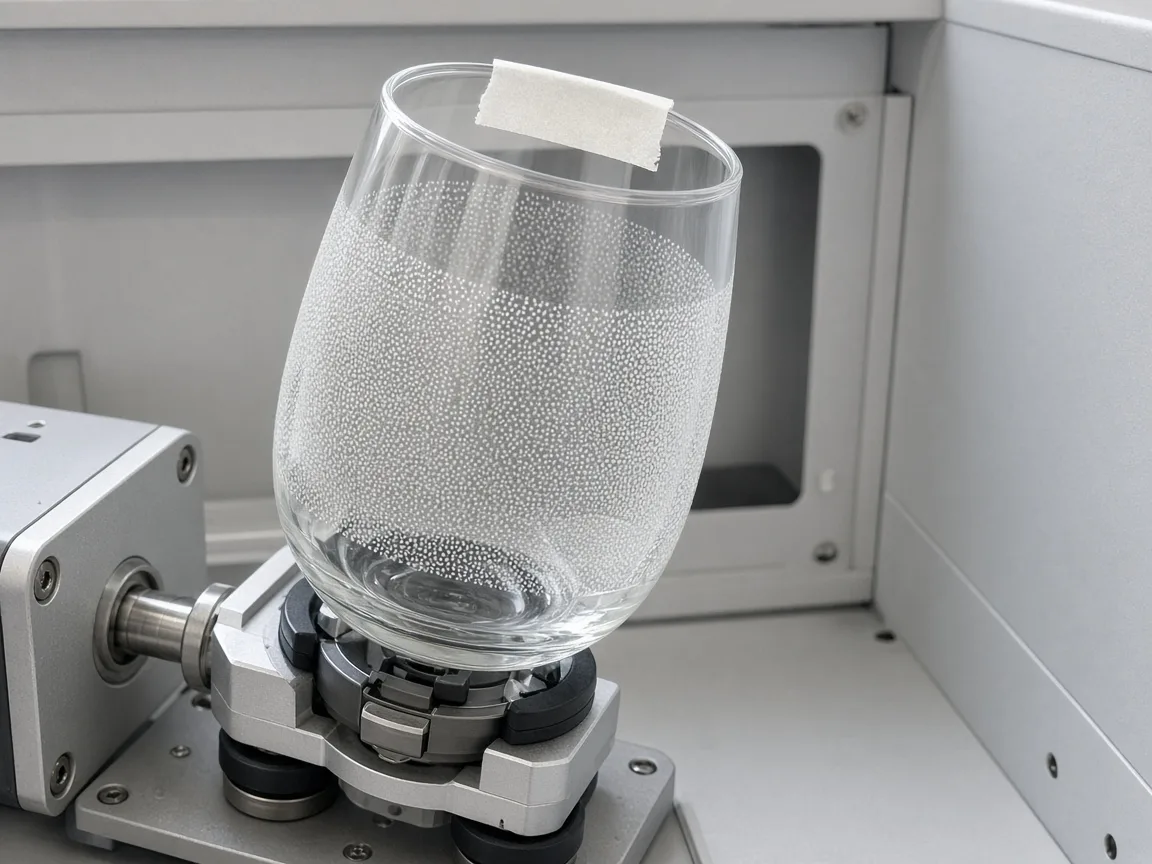 Masking tape gives autofocus a surface to read on clear glass. (AI-generated example.)
- Rotary needed. The RA2, RA2 Pro and RA3 work, but none is included with the machine (xTool).
- Measure where you engrave. Measure the perimeter at the exact spot you'll engrave, especially on tapered glasses.
- Level the glass. Use the mini level so the engraving area is parallel to the ground.
- Curve limit. The height difference across the engraving area must not exceed 0.75 mm (xTool).
- Tape, measure, remove, subtract. Tape the top of the glass, auto-measure, remove the tape and subtract about 0.5 mm.
- RA3 users: pick RA3 Manual Mode. A cup spinning the wrong way usually means RA2 was selected (GeekExtreme).
- Framing light: raise framing brightness so you can see it on clear glass.
- Lid: with the rotary fitted, the lid may not seal fully, so wear UV safety glasses.
Inner engraving (3D inside glass)
- Needs the inner-engraving lens and suitable glass, usually K9 crystal (xTool).
- The inner work area is 70 × 70 mm (Tom's Hardware specs).
- Wrong power, too much speed or the wrong pulse frequency can stop the effect from forming (xTool).
- Exact inner-engraving power and speed: not stated in our sources. Use xTool Studio's presets.
Troubleshooting
| Problem | Likely cause | Fix |
|---|---|---|
| No mark at all | Focus off, or wrong lens | Refocus with tape, check surface lens, lower focus 1–2 mm |
| Patchy frost | Glass not level or dirty | Re-level, clean with isopropyl alcohol |
| Faint on one side of large piece | Field-lens curvature | Extra pass, lower focus each pass |
| Cracks or chips | Too much energy or stressed blank | Lower power, raise speed, change blank |
| Marks on the baseplate | Beam through thin glass | Use slatted panel, support by edges |
| Cracks on thin text | Fine graphics hit too hard | Lower power on fine text; test first (The Clack Shack) |
| Can't see framing on clear glass | Framing light too dim | Raise framing light power (Chris from L3D uses 10) |
| Cup rotates backwards | Wrong rotary mode | Select RA3 Manual Mode |
FAQ
What are the best xTool F2 Ultra UV glass settings?
A community starting point for a frosted mark is 35% power, 300 mm/s, 1 pass, 600 DPI. For a stronger frost, try 90% power at 150 mm/s.
Do I need to coat glass before UV engraving?
No. The 355 nm UV beam marks bare glass directly. Diode and IR lasers usually need paint or a coating.
Why won't autofocus work on glass?
Light passes through clear glass. xTool says to put paper or masking tape on the surface, autofocus, then subtract its thickness.
Can the F2 Ultra UV cut glass?
xTool's lab data lists a maximum glass cutting thickness of 1 mm. No sourced cutting settings were found, so treat cutting as experimental.
Which glass types work best?
Soda-lime glass and K9 crystal engrave most reliably. xTool warns that tempered, laminated, quartz and borosilicate glass may not engrave.
Can it engrave inside glass?
Yes, with the separate inner-engraving lens and K9 crystal. Not every clear glass works for inner engraving.
Why did my glass crack?
Too much energy, internal stress in the blank, or tempered glass. Lower power, raise speed and test on a spare first.
Should I lower the focus when engraving glass?
Many creators do. On video, drops of about 1–1.5 mm (Utinni Designs) up to 4.5 mm (Revved Up Design) gave better marks. Test on one glass first.
Should I warm glasses before engraving?
Revved Up Design warms glasses until just warm to the touch, saying cold glass is more likely to fracture.
Is one pass or two passes better for glass photos?
Chris from L3D says one pass gives nice results and two passes excellent ones, at about double the time.
Do I need the rotary for wine glasses?
Yes, for engraving around a cup. xTool supports the RA2, RA2 Pro and RA3, and the rotary is not included with the machine.
Final thoughts
Start flat glass at 35% power and 300 mm/s, and cups at 80% and 125 mm/s. Most failures are focus, not power. Use the tape trick, stick to soda-lime or K9, and test every new batch of blanks.
Sources
- Bonny Creations, Glass on the F2 Ultra UV: https://www.bonnycreations.com/settings/machines/xtool-f2-ultra-uv/glass
- Bonny Creations, F2 Ultra UV settings: https://www.bonnycreations.com/settings/machines/xtool-f2-ultra-uv
- xTool Support, Glass Surface Engraving Techniques: https://support.xtool.com/article/2898
- xTool Support, Tips for Surface Engraving Glass Cups Using Rotary Attachments: https://support.xtool.com/article/3095
- xTool Support, Start Inner Engraving: https://support.xtool.com/article/2708
- xTool Support, Processing Parameters for F2 Ultra UV: https://support.xtool.com/article/2699
- xTool Support, F2 Ultra UV FAQs: https://support.xtool.com/article/2870
- xTool Support, Use RA3 with F2 Ultra UV: https://support.xtool.com/article/2703
- GeekExtreme, UV laser engraver for glass, tested settings: https://www.geekextreme.com/uv-laser-engraver-for-glass-tested-settings/
- Tom's Hardware, F2 Ultra UV review: https://www.tomshardware.com/maker-stem/xtool-f2-ultra-uv-dual-laser-engraver-review
- The Maker's Chest, UV laser engraving on glass: https://themakerschest.com/blogs/laser-engravers/uv-laser-engraving-on-glass-settings-results-and-what-you-can-actually-achieve
- LaserGenerator, xTool settings chart: https://lasergenerator.com/laser-settings/xtool/
- FSL, Introduction to UV laser glass marking: https://www.fslaser.com/support/material-settings-and-tips/introduction-to-uv-laser-glass-marking-a-comprehensive-guide
- Arcus CNC, Laser marking glass and ceramics: https://arcuscnc.com/laser-marking-glass-and-ceramics/
- Chris from L3D, Rotary Glass Engraving Tutorial (YouTube): https://www.youtube.com/watch?v=KfDqz01BBTo
- Chris from L3D, Perfect Glass Photo Engravings (YouTube): https://www.youtube.com/watch?v=wFfkd8OPIPg
- Revved Up Design, Glass Engraving Tutorial (YouTube): https://www.youtube.com/watch?v=mIhXKLHZcIs
- Maker Foundry, Engrave Glass with RA3 + Settings (YouTube): https://www.youtube.com/watch?v=OdLEPF3sKEw
- Maker Foundry, Calibration + First Test on Glass (YouTube): https://www.youtube.com/watch?v=IZ9t9wvYI3c
- The Clack Shack, Curved Surface Glass Engraving (YouTube): https://www.youtube.com/watch?v=FOmxKIn1CGE
- Utinni Designs, Shot Glasses Workshop (YouTube): https://www.youtube.com/watch?v=-Xw3CmrQB-4
- DAYGONE LASERCRAFT, UV Laser vs Glass (YouTube): https://www.youtube.com/watch?v=fdbe71oYI1A
- COPPER GROVE CREATIONS, Step-by-Step Tutorial (YouTube): https://www.youtube.com/watch?v=wksbu76GmQA
- Cleveland Laser Engraving, Glass Engraving Tutorial (YouTube): https://www.youtube.com/watch?v=tcukPHS9uAg
- Seams Legit, Engraving on glass (YouTube): https://www.youtube.com/watch?v=4IOUpmHsT50
- The Crafty Blog Stalker, 3D Inner Engraving (YouTube): https://www.youtube.com/watch?v=oVJffAqRI_w
- David Hawke, Polish Embossed Glass (YouTube): https://www.youtube.com/watch?v=nUX0dAUuSkk
- xTool, Glass Master (YouTube): https://www.youtube.com/watch?v=uC1tl5QepbM
Related settings
- xTool F2 Ultra UV Acrylic Settings: Clear, Black & White Chart (2026)
- xTool F2 Ultra UV Ceramic Settings: Tiles & Mugs Chart (2026)
- xTool F2 Ultra UV PLA Settings: 3D Print Colour Chart (2026)
- xTool F2 Ultra UV Slate Settings: Power, Speed & Frequency Chart (2026)
- xTool F2 Ultra UV Tumbler Settings: Powder-Coated & Stainless (2026)
- Can a UV Laser Engrave Slate?
- Can a UV Laser Engrave Glass?
Keep reading
xTool F2 Ultra UV Tumbler Settings: Powder-Coated & Stainless (2026)
Sourced xTool F2 Ultra UV tumbler settings for powder-coated and bare stainless tumblers on the rotary: power, speed, lines per cm, frequency and the focus offset trick.
Read more9 min read
xTool F2 Ultra UV Slate Settings: Power, Speed & Frequency Chart (2026)
Sourced xTool F2 Ultra UV slate settings for power, speed, passes, lines/cm and frequency, plus a test-grid method, photo tips and troubleshooting.
Read more10 min read
xTool F2 Ultra UV PLA Settings: 3D Print Colour Chart (2026)
Sourced xTool F2 Ultra UV PLA settings for marking 3D prints by filament colour: power, speed, lines per cm and frequency, plus tips, safety and troubleshooting.
Read more8 min read