xTool F2 Ultra UV Gold Settings: Solid, Gold-Filled & Gold-Plated Jewelry (2026)
Sourced xTool F2 Ultra UV gold settings for 10k-18k, gold-filled and gold-plated jewelry, with xTool's gold-stainless test matrix, a grid and honest limits.
24 min read
On this page
- Short answer
- Quick answer: the best starting settings
- xTool F2 Ultra UV gold settings chart
- A test grid for solid gold and gold-filled
- Other UV machines (cross-reference only, not F2 Ultra UV numbers)
- Fiber numbers you should NOT use on the F2 Ultra UV
- What do the settings mean?
- Can the F2 Ultra UV engrave gold?
- Which gold are you engraving?
- Gold-filled: going through can be the point
- Gold-plated: stay on top of it
- Reflection, focus and polished gold
- What I saw in the videos
- Step-by-step: engraving gold jewelry on the F2 Ultra UV
- 1. Identify the gold
- 2. Clean it
- 3. Beat the reflection and focus
- 4. Hold small pieces still
- 5. Grid on scrap, then the real piece
- 6. Clean and finish
- Rings, pendants, connectors and more
- Safety
- Troubleshooting
- What I couldn't confirm
- FAQ
- Can the xTool F2 Ultra UV engrave gold?
- What are the best F2 Ultra UV settings for gold?
- What settings did xTool test on gold-colored stainless?
- Can I engrave gold-plated jewelry with the F2 Ultra UV?
- Can I engrave gold-filled jewelry with a UV laser?
- Is 14k gold easier to engrave than 18k?
- Should I use fiber gold recipes on the F2 Ultra UV?
- Can the F2 Ultra UV color-engrave or emboss gold?
- Related guides
- Final thoughts
- Sources and further watching
Last updated: November 13, 2026
 Gold takes a fine surface mark on the F2 Ultra UV. On plated pieces, the real question is how much gold is there to mark. (AI-generated example.)
"Gold" covers three very different jobs. A 14k solid gold ring, a gold-filled connector for permanent jewelry and a gold-plated stainless pendant can all look the same on the bench, but the laser sees a solid alloy, a thick gold skin over brass, or a coating thinner than a micron.
Here's where things honestly stand. Gold is not on xTool's list of intended materials for the F2 Ultra UV, and an xTool support agent has said in public that the machine can engrave gold but that xTool doesn't recommend it. What xTool does publish is two F2 Ultra UV presets for gold-colored, plated stainless steel, plus a photo of its own test matrix on brushed gold stainless. Community presets for 14k gold-filled and gold-plated jewelry exist for this machine, but they're locked behind a login.
So this guide gives you what is sourced: xTool's gold-stainless test range, the F2 Ultra UV numbers that exist for small jewelry, a suggested test grid for solid and gold-filled pieces, UV rows from other machines kept in their own table, and the fiber gold recipes you should not copy. Treat every row as a starting point, not a promise.
Quick facts
- Machine: xTool F2 Ultra UV, enclosed 5W, 355 nm UV galvo
- Is gold supported? Not officially. Gold isn't on xTool's intended-materials list, and xTool support said it can engrave gold but doesn't recommend it
- Official presets: gold-colored plated stainless only (brushed gold 304 and rose gold plated 304). Load them with "Open in Studio"; the numbers aren't shown publicly
- xTool's own test range (brushed gold stainless): 60-100% power at 4200, 3200, 2200, 1200 and 200 mm/s
- Suggested grid for solid and gold-filled (mine, not tested): 30-100% power, 1500-50 mm/s, 1 pass, 500 lines/cm, 40 kHz
- Small jewelry on the RA3 rotary (F2 Ultra UV, not gold): 100% power, about 300 mm/s, 300 lines/cm, 40 kHz, 1 pass
- What the mark looks like: a fine surface mark. Depth takes a long time on a 5W UV
- Biggest risk: going through thin plating, and reflection from polished gold
- Not possible on this machine: reliable color marking and metal embossing (xTool FAQ)
- Safety: lid closed, extraction on, 355 nm goggles if the lid can't close
Short answer
The xTool F2 Ultra UV can put a fine surface mark on gold, but gold isn't on xTool's intended-materials list and xTool support doesn't recommend engraving it. For gold-colored plated stainless, use xTool's official F2 Ultra UV presets in the Material Lab; xTool's own test matrix ran 60-100% power from 4200 down to 200 mm/s, and the 200 mm/s row turned dark brown. For solid 10k-18k and gold-filled pieces, no open recipe exists, so run a grid from 30% power at 1500 mm/s to 100% at 50 mm/s, at 1 pass, 500 lines/cm and 40 kHz. On plated jewelry, stay at the fast, light end. Tilt polished pieces about 1 mm and stay in focus.
Quick answer: the best starting settings
Gold-plated or PVD gold stainless: use xTool's preset. Open the Brushed Gold 304 Stainless Steel page in xTool's Material Lab, pick the F2 Ultra UV tab, and choose "Open in Studio" or "Save to Studio". The tab lists 5W, Engrave and a parameter update on November 10, 2026. The Rose Gold Plated 304 Stainless Steel page has the same kind of F2 Ultra UV preset. I can't print the numbers because the pages don't show them.
Want to see the range? xTool already ran it. The F2 Ultra UV sample photo on the brushed gold page is a 5 × 5 test matrix: power 60, 70, 80, 90 and 100% across the bottom, speed 4200, 3200, 2200, 1200 and 200 mm/s up the side. The four fast rows stay a light tan. The 200 mm/s row turns a deep brown, darkest at 100%. Line density and frequency aren't printed on the photo.
Solid gold and gold-filled: run a grid. No open F2 Ultra UV recipe for karat gold turned up in my research. I built the grid below from the published F2 Ultra UV metal recipes I cover in my stainless steel guide, which run from a fast, light pass (30% power at 1840 mm/s, 800 lines/cm, 40 kHz) to a slow, darker pass (100% power at 50 mm/s, 800 lines/cm, 40 kHz). It's my suggestion, not a tested gold recipe.
For rings on the RA3 rotary, the closest published numbers are the same ones I used in my silver guide. Ashlee Falco engraved a ring at 100% power, about 300 mm/s, 1 pass, 300 lines/cm and 40 kHz, but the ring's metal isn't stated. Tuwbees Custom Works engraved inside a stainless ring at 100%, 40 mm/s, 2 passes and 800 lines/cm. Neither is a gold recipe.
xTool F2 Ultra UV gold settings chart
Every row here is for an F2 Ultra UV. None is a published recipe for solid gold. Keep each row's numbers together.
| Item / goal | Power | Speed | Lines/cm | Passes | Frequency | Material | Source |
|---|---|---|---|---|---|---|---|
| Gold-colored stainless, engrave | in Studio | in Studio | in Studio | in Studio | in Studio | Brushed gold 304 stainless, 0.5 mm | xTool Material Lab official preset |
| Rose gold stainless, engrave | in Studio | in Studio | in Studio | in Studio | in Studio | Rose gold plated 304 stainless, 0.5 mm | xTool Material Lab official preset |
| Test matrix range | 60-100% | 4200, 3200, 2200, 1200, 200 mm/s | not shown | not shown | not shown | Brushed gold 304 stainless | xTool Material Lab sample photo |
| 14k gold-filled or gold-plated, flat | locked | locked | locked | locked | locked | 14k gold fill / gold plate | Atomm community preset (login required) |
| Small ring on RA3 rotary | 100% | ~300 mm/s (299-306) | 300 | 1 | 40 kHz | Ring, metal not stated | Ashlee Falco video, Studio panel on screen |
| Inside of a ring on RA3 | 100% | 40 mm/s | 800 | 2 | 40 kHz | Stainless | Tuwbees Custom Works video, on-screen overlay |
| Legal frequency window | - | - | - | - | 40-150 kHz | - | xTool Support 2699 |
Why gold-colored stainless is here: most "gold" jewelry blanks sold to laser makers are gold-plated or PVD-coated stainless steel, and they're the only gold-colored material xTool has published F2 Ultra UV presets for. They are not solid gold, and the mark comes from changing or removing the coating.
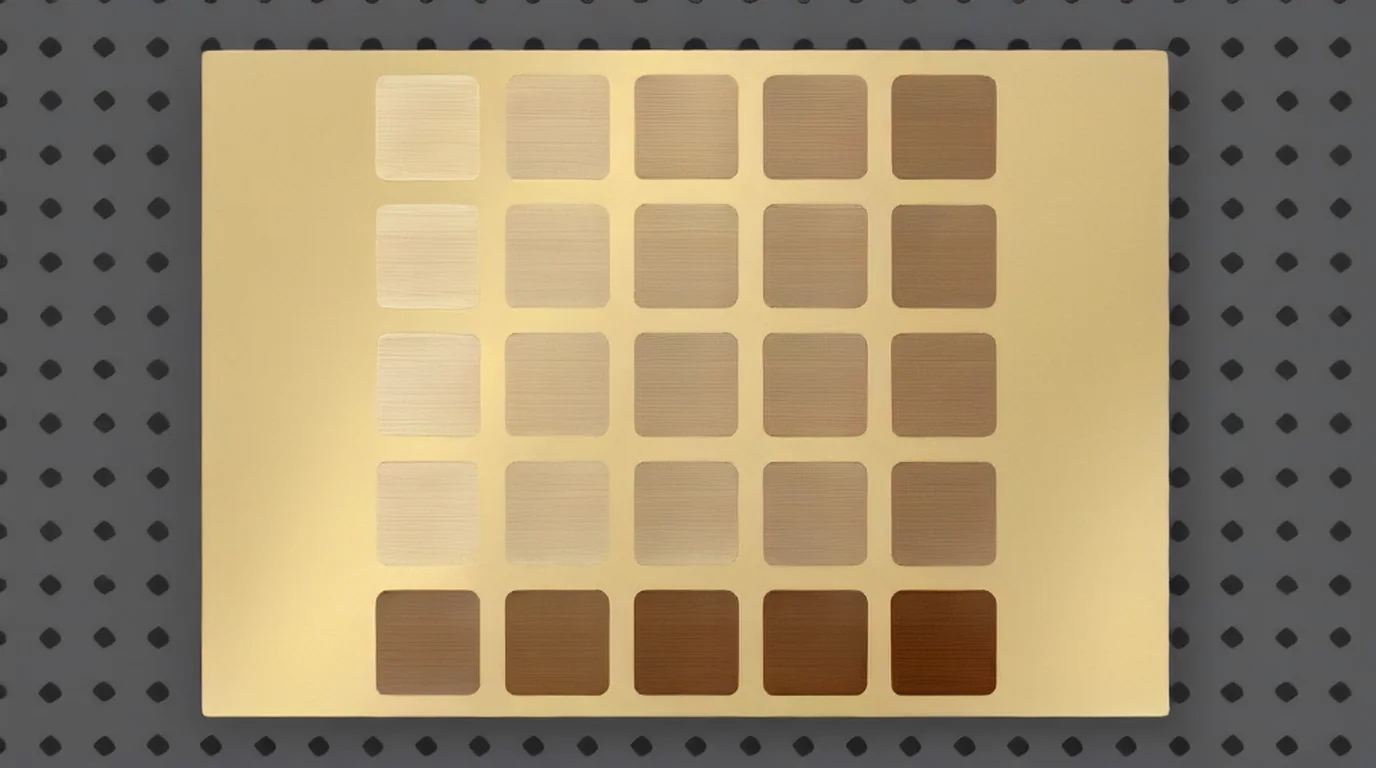 Speed matters far more than power on gold-colored stainless. In xTool's own matrix, only the slowest row went dark. (AI-generated example.)
A test grid for solid gold and gold-filled
This is my suggested grid, not a tested recipe. It brackets the F2 Ultra UV's published fast-light and slow-dark metal rows, and stays inside the machine's limits:
- Power: 30%, 60%, 100%
- Speed: 1500, 800, 300, 100, 50 mm/s
- Fixed: 1 pass, 500 lines/cm, 40 kHz, bi-directional
- Second grid (optional): take the best cell and try 800 lines/cm, then 2 passes
- Cells: 8-10 mm squares or one short word each, on a scrap blank of the same karat and finish
For gold-plated and PVD pieces, copy xTool's range instead: 60-100% power at 4200, 3200, 2200 and 1200 mm/s. Leave out the slow 200 mm/s row until you know the coating will survive it.
xTool Studio's "Material test array" builds either grid for you. Set the rows and columns, the speed and power range, and the processing type (xTool Support 2698).
Judge the cells after you wipe them, under the light you'll sell in. Look for two things: whether the mark is visible, and whether a cell has changed color in a way that means you've reached the metal underneath.
Other UV machines (cross-reference only, not F2 Ultra UV numbers)
| Machine | Result | Published settings | Source | Why it doesn't transfer |
|---|---|---|---|---|
| Thunder Laser Aurora UV 5W | Gold engrave default preset | 400 mm/s, 80% power (min 40%), 0.0254 mm interval, Q-pulse width 1 | Cut List Maker Laser Library | Different software, power scale and pulse control |
| ComMarker Omni X UV | General metal engraving range (not gold-specific) | 85-95% power, 200-500 mm/s, 25-35 kHz, 3-5 ns pulse | ComMarker Omni X material guide | Pulse-width control the F2 Ultra UV doesn't expose; 25-35 kHz is below its 40 kHz floor |
The useful part: another 5W UV maker's gold default runs at high power and a moderate 400 mm/s with a fine interval. That lines up with the middle of the grid, not the extremes.
Fiber numbers you should NOT use on the F2 Ultra UV
These rank near the top for "xTool gold settings", but they belong to infrared fiber lasers, not the UV.
| Machine / goal | Published settings | Source | Why not |
|---|---|---|---|
| F2 Ultra fiber, 24k gold deep engrave | 70% power, 2500 mm/s, 200 LPC, 8 passes, 30 kHz, 500 ns, 45° crosshatch | L3D Accessories | 1064 nm fiber with pulse control |
| F2 Ultra fiber, 24k gold polish pass | 40% power, 2500 mm/s, 200 LPC, 2 passes, 100 kHz, 500 ns | L3D Accessories | Same reason |
| F1 Ultra fiber, 14k white gold ring text (rotary) | 70% power, 400 mm/s, 3 passes, 30 kHz | Jewelers Benchpin Forums | 20W fiber |
| F1 Ultra fiber, gold-filled connector | 100% power, 1000 mm/s, 300 LPC, 30 kHz, raised to 6 passes; cleanup at 30% | Stones and Findings / Sunstone demo | Built to cut through the gold layer |
| xTool F1 IR, real gold blank | 100% power, 10 mm/s, 200 LPC, 1 pass | Ashlee Falco video | 2W infrared, very slow |
What do the settings mean?
- Power (%): laser output. xTool's gold-stainless matrix starts at 60% and the jewelry rows all run at 100%.
- Speed (mm/s): slower means more energy per spot. In xTool's matrix, dropping from 1200 to 200 mm/s did more than any power change.
- Lines per cm: fill density. xTool says 100 lines/cm equals 254 DPI (xTool Support 2699). Higher numbers give a smoother fill on small text.
- Passes: a second pass deepens the mark. On plating, it's also the fastest way to go through it.
- Frequency (kHz): pulse rate, 40-150 kHz on this machine. Every F2 Ultra UV metal row I found uses 40 kHz.
- Processing mode: xTool's two gold-stainless presets are listed under "Use conveyor-large". Use the preset as loaded, then check that the mode matches how your piece sits in the machine.
Can the F2 Ultra UV engrave gold?
Yes, with real limits, and without xTool's blessing.
It's not on the list. xTool's safety page says the UV laser can process "stainless steel, aluminum, brass, silver, platinum, titanium" and other non-metals (xTool Support 2751). Silver and platinum made the list. Gold didn't.
xTool support said it plainly. Answering a new owner on the xTool subreddit in February 2026, an xTool support agent wrote: "The F2 Ultra UV laser can engrave gold, but because engraving results in quality loss, we do not recommend it" (r/xToolOfficial). The post doesn't say whether "quality loss" means lost metal or a poorer finish. Either way, it's a caution, not a ban. In the same reply, the agent said that placing the material off-center on the worktable helps prevent lens damage, and that coatings reduce reflections.
Why UV still makes sense on gold. Gold is the classic example of a metal that bounces infrared light back. Using Johnson and Christy's published optical constants for gold (refractiveindex.info), I calculated the reflectance of smooth bulk gold at roughly 98% near 1064 nm (the fiber wavelength) and roughly 38% at 355 nm. That's a calculation for a perfect flat surface, not a measurement of your pendant, but it shows why a UV couples into gold far more easily than an infrared beam does.
Where it stops. The mark is shallow:
- Laser Engraving 911 says that with a 5W UV you can put "a light engraving on gold, silver, copper, brass" and other metals, "but getting depth with this machine and this type of laser takes a long time".
- Boyne Valley Laser Studio rates the F2 Ultra UV for "surface marks" on solid gold and silver, and sends you to a MOPA fiber for the deepest, most repeatable marks.
- ComMarker's gold guide agrees: UV suits precise, low-heat marking, while fiber is the better choice for the depth jewelry engraving usually needs.
My read: for tiny names, dates, initials and hallmark-style text on gold, the F2 Ultra UV can do it. For deep, durable engraving on a customer's solid gold ring, a fiber laser is the safer tool.
Which gold are you engraving?
This is the question that decides your settings. The thickness of the gold layer matters more than the color.
 Solid, gold-filled and plated blanks can look identical until the laser goes through the top layer. (AI-generated example.)
| Material | What it is | How much gold the laser sees | Where to start |
|---|---|---|---|
| Solid 10k / 14k / 18k | Gold alloy all the way through: about 41.7%, 58.3% and 75% gold | All of it | The solid-gold grid |
| White gold | Gold alloyed with a white metal such as nickel or palladium; some pieces are rhodium-plated | The alloy, or a rhodium layer on top of it | Treat any rhodium like plating; test first |
| Rose gold | A gold-copper alloy | All of it | The solid-gold grid; watch for darker, coppery cells |
| Gold-filled | A karat gold sheet bonded to a brass core, at least 1/20 of the item's weight | A thick skin, often 30-100 microns on fashion jewelry | The solid-gold grid, light end first |
| Gold-plated / electroplated | A thin gold layer on brass, copper, silver or steel | As little as 0.175 microns to be sold as "gold electroplate" in the US | Fastest, lightest cells only |
| PVD gold stainless | A hard gold-colored coating on stainless steel | A coating, roughly 0.5-3 microns | xTool's gold-stainless preset or range |
| Vermeil / gold over silver | Gold plating on sterling silver | Plating, then silver | Light cells; see the silver guide for what's underneath |
The numbers behind that table:
- Karat: a karat is a 24th part, so 18k is 75% gold (Wikipedia: Fineness). ComMarker gives about 41.7% for 10k and 58.3% for 14k.
- Gold-filled: in the US, the gold layer must be at least 1/20 of the item's total weight (Wikipedia: Gold-filled jewelry). Artisan Plating puts the gold layer on fashion jewelry such as bracelets and cuff links at 30 to 100 microns.
- Plated: the FTC's Jewelry Guides require a minimum of 0.175 microns of fine gold for "gold electroplate", and 2.5 microns for "heavy gold electroplate" (16 CFR Part 23). A stainless jewelry maker, Zhefan, quotes 0.5 to 3 microns as a typical PVD target, and says cheaper electroplated gold is often much thinner.
That's a difference of a hundred times or more between gold-filled and plated. A setting that leaves a clean mark on gold-filled can go straight through a plated charm.
Gold-filled: going through can be the point
Stones and Findings, a permanent-jewelry supplier, explains that the gold layer on gold-filled stock is only about 2.5% of its thickness, so a durable engraving will cut into the brass core. They say that's fine: the bonded layer won't peel or flake, and the exposed brass darkens over time, which makes the lettering easier to read. In their gold-filled demo on a fiber laser, the first pass left a brown, yellowish mark, and a second pass at 30% power turned it a cream color.
On the F2 Ultra UV, you'll get a much shallower mark. If you only want a surface mark that stays inside the gold, the light end of the grid is where to look.
Gold-plated: stay on top of it
ZhuoRui Laser, a marking-system maker, warns that a setting that looks fine on solid gold may break through a thin plated layer and expose a different base-metal color. Boyne Valley calls the F2 Ultra UV "the more forgiving choice" for plated jewelry because it puts less heat into the surface, "though thin plating can still be altered", so they test on a sample first.
On PVD gold stainless, going through is often what makers want. A stainless jewelry manufacturer notes that the laser removes the PVD layer locally and exposes the steel, so the mark is the metal itself and won't rub off.
Reflection, focus and polished gold
Polished gold is a mirror, and the F2 Ultra UV's safety page tells you to make sure the laser is correctly focused when processing highly reflective materials, or reflected beams can damage the product (xTool Support 2737).
- Tilt it. Put a 1 mm object under one side so the piece isn't square to the laser module, as xTool recommends for reflective metals (xTool metal guide).
- Move it off-center. xTool support suggests placing the material off-center on the worktable to protect the lens.
- Spray is optional, and changes the look. Coatings reduce reflection, and some owners run marking spray on polished pieces as a precaution. The laser then marks the spray layer, which may not be what you want on fine jewelry.
- Watch for fade. If the mark gets lighter partway through a long job, stop and let the module cool. xTool says reflective metals bounce heat back into the module and cause power loss.
What I saw in the videos
I watched the gold sections frame by frame instead of only reading transcripts. None of them show an F2 Ultra UV on solid gold.
- Stones and Findings, "Can You Laser Engrave Gold Filled Jewelry?": A short explainer with cross-section diagrams comparing a thick gold-filled layer to a thin plated one, and close-ups of finished gold-filled chains and connectors. No machine settings appear on screen.
- Ashlee Falco, RA3 + F2 Ultra UV rotary test: The ring job's xTool Studio panel shows a user-defined engrave at Power 100, Speed 299 (she later reads it as 306), Pass 1, 300 lines per cm, 40 kHz and bi-directional, with a 0.87 in diameter. It took about 10 seconds. The ring's metal isn't stated.
- Laser Engraving 911, F2 Ultra UV review: The metal section groups gold with silver, copper, brass, aluminum and steel as "light engraving" metals for jewelry makers.
- Two fiber videos, for contrast: Ashlee Falco's real-gold blanks on an xTool F1 show IR at 100% power, 10 mm/s, 200 lines/cm and 1 pass. The Stones and Findings live demo on an F1 Ultra shows fiber IR at 100%, 1000 mm/s, 300 lines/cm and 30 kHz, raised to 6 passes on a gold-filled connector. Neither applies to the UV.
Step-by-step: engraving gold jewelry on the F2 Ultra UV
1. Identify the gold
- Check the stamp: 10K/417, 14K/585 and 18K/750 are solid. "1/20 14K GF" is gold-filled. "GEP", "HGE" or "HGP" mean plated. Ask the supplier if it's PVD stainless.
- If you can't tell, treat it as plated.
2. Clean it
- Wipe with isopropyl alcohol to remove polish residue and fingerprints. Leftover polish changes how the surface takes the mark.
3. Beat the reflection and focus
- Tilt the piece about 1 mm and move it off-center.
- Use manual focus by overlapping the red and blue dots, or put masking tape or dark paper at the ranging spot so auto-measure can read the surface. My how to focus a UV laser guide covers both.
4. Hold small pieces still
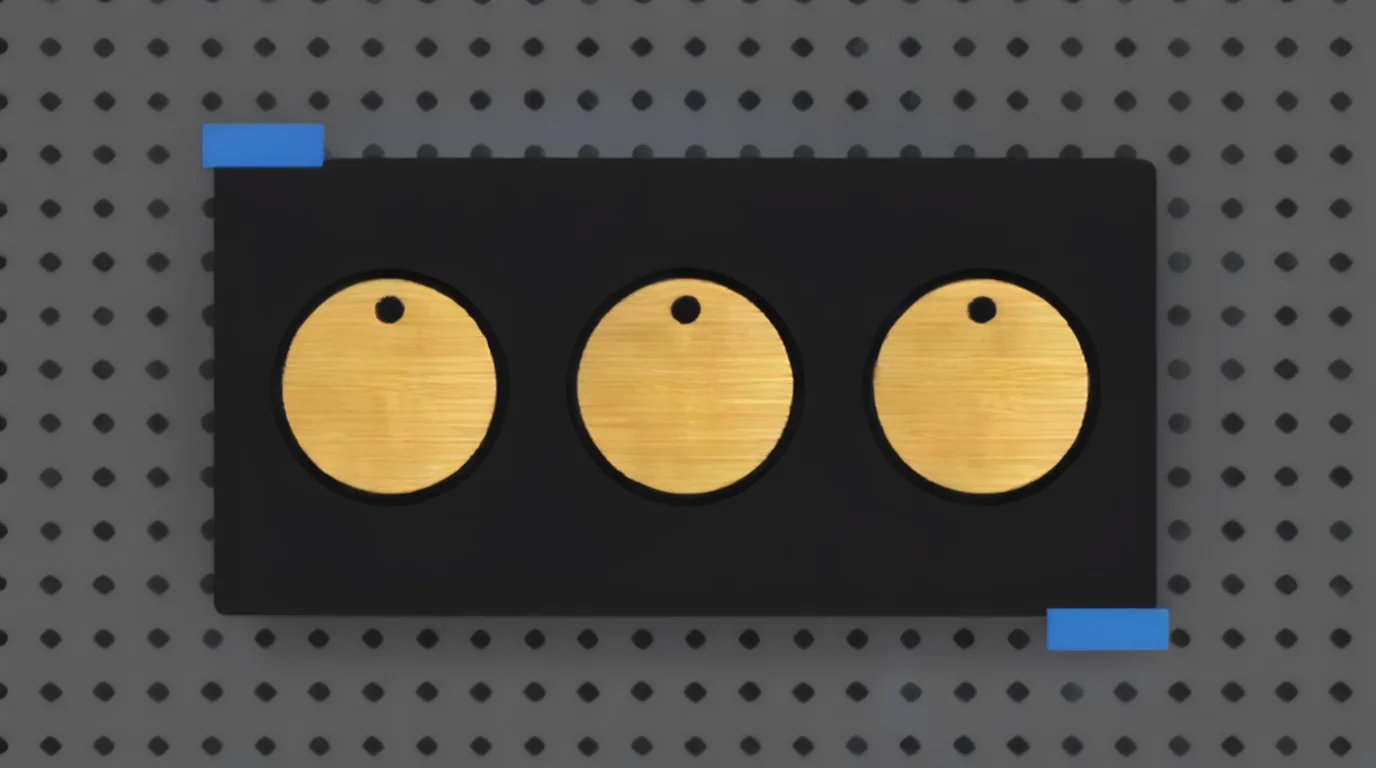 A pocket jig keeps small gold charms from shifting in the exhaust airflow, so one grid cell lines up with the next. (AI-generated example.)
- Charms and pendants are light enough for the airflow to move them. Use a jig or a dab of tape on the back. See best self-centering jigs for the F2 Ultra UV.
- For rings and bangles, use the RA3 rotary, enter the diameter, and center the design on the highest point of the curve.
5. Grid on scrap, then the real piece
- Run the right grid on a scrap of the same material: solid and gold-filled on the solid-gold grid, plated and PVD on xTool's fast range.
- Wipe, then judge under a loupe and raking light. On plated scrap, look for the base metal showing through.
- Close the lid, start, and keep extraction running.
6. Clean and finish
- Let the piece cool, then wipe it with a soft cloth. ComMarker suggests isopropyl alcohol for residue after engraving gold.
- For extra contrast on a deeper gold-filled mark, Stones and Findings fills the grooves with a black permanent marker and buffs the surface clean.
Rings, pendants, connectors and more
Gold pieces that suit a UV laser:
- Pendants and charms: names, dates, initials, tiny line art.
- Permanent-jewelry connectors: short names and dates on gold-filled links.
- Rings: outside or inside text on the RA3 rotary. Test the ring's own alloy first.
- Gold-colored stainless bar necklaces and tags: short text, coordinates, photos (xTool's rose gold stainless sample is a photo engraving).
- Maker's marks: tiny stock codes and hallmark-style text.
More blank ideas: best UV laser blanks to buy and sell and UV laser project ideas.
Safety
- Keep the enclosure closed. If it can't close, wear goggles rated for 355 ± 5 nm, as the xTool safety page requires.
- Reflection is the main machine risk with polished gold. Stay in focus, tilt the piece and move it off-center.
- Run extraction. Plating, PVD coatings and polish residue all produce fumes.
- Freshly engraved metal is hot. Let it cool before you handle it.
Troubleshooting
| Problem | Likely cause | Fix |
|---|---|---|
| Faint or invisible mark | Too little energy, or mirror gold reflecting | Slow down one grid step; check under raking light |
| Silver or grey showing in the mark | You went through gold plating or PVD | Speed up; use the fastest visible cell; test on a sacrificial piece |
| Coppery or dark brown mark on gold-filled | You reached the brass core | Expected on deeper marks; go lighter if you want gold-on-gold |
| Uneven tone across a pendant | Polish residue or a curved surface out of focus | Clean with alcohol; re-focus; use a jig |
| Autofocus fails or measures wrong | Mirror-like surface | Manual focus, or tape at the ranging spot |
| Text distorted on a ring | Wrong diameter or not centered on the high point | Re-measure and re-center on the RA3 |
| Mark fades during a long job | Laser module heating from reflection | Pause and let it cool; split large fills |
| Results change between batches | Different karat, alloy, plating or finish | Re-run a small grid per supplier batch |
What I couldn't confirm
- The numbers in xTool's gold-stainless presets. They load in xTool Studio but aren't published on the pages, and the test-matrix photo doesn't show line density or frequency.
- An open, photographed F2 Ultra UV recipe for solid karat gold or gold-filled. I found none. The community presets for 14k gold-filled and gold-plated jewelry are locked behind a login.
- What xTool support meant by "quality loss". The reply doesn't explain it.
- How deep the F2 Ultra UV cuts into gold, or how far into plating. No source measured it.
- How UV marks on gold wear over time. No published test turned up.
FAQ
Can the xTool F2 Ultra UV engrave gold?
It can make a fine surface mark, but gold isn't on xTool's intended-materials list, and xTool support has said it doesn't recommend engraving gold with this machine. Test on scrap first.
What are the best F2 Ultra UV settings for gold?
For gold-plated or PVD stainless, use xTool's official gold-stainless presets, which load from the Material Lab into xTool Studio. For solid and gold-filled gold, no open recipe exists, so run a grid from 30% power at 1500 mm/s to 100% at 50 mm/s, at 1 pass, 500 lines/cm and 40 kHz.
What settings did xTool test on gold-colored stainless?
xTool's sample photo for brushed gold 304 stainless on the F2 Ultra UV shows a matrix of 60-100% power at 4200, 3200, 2200, 1200 and 200 mm/s. The fast rows stayed light tan, and the 200 mm/s row turned dark brown.
Can I engrave gold-plated jewelry with the F2 Ultra UV?
Yes, but carefully. US gold electroplate can be as thin as 0.175 microns, so use the fastest, lightest visible setting and test on a sacrificial piece. UV is gentler than fiber on plating, but it can still go through it.
Can I engrave gold-filled jewelry with a UV laser?
Yes. Gold-filled has a much thicker gold layer, often 30-100 microns on fashion jewelry. A light UV mark stays in the gold. Deeper marks reach the brass core, which darkens over time and adds contrast.
Is 14k gold easier to engrave than 18k?
14k has less gold and more alloy metals than 18k, and ComMarker notes that higher-karat gold is more challenging because it's more reflective. Either way, alloys differ, so re-run the grid for each karat.
Should I use fiber gold recipes on the F2 Ultra UV?
No. Recipes like 70% power, 2500 mm/s, 8 passes, 30 kHz and 500 ns pulse belong to infrared fiber lasers. The UV doesn't have the same power or pulse control.
Can the F2 Ultra UV color-engrave or emboss gold?
No. xTool's FAQ says the UV's color engraving is very limited and unstable because it can't form a stable oxide layer, and that metal can't be used for embossment on this machine.
Related guides
- xTool F2 Ultra UV silver settings
- xTool F2 Ultra UV stainless steel settings
- xTool F2 Ultra UV brass settings
- xTool F2 Ultra UV copper settings
- How to focus a UV laser
- Best self-centering jigs for the F2 Ultra UV
- Best UV laser blanks to buy and sell
- UV laser project ideas
Final thoughts
Gold on the F2 Ultra UV is really three jobs. Gold-colored stainless is the easy one, with xTool presets and a published test range. Gold-filled takes a light surface mark well and forgives a deeper one. Plated gold is where you can ruin a piece in one pass. Know which you have, run the right grid on scrap, tilt and focus, and don't promise a customer deep engraving on solid gold from a 5W UV.
Sources and further watching
- xTool Support - Safety First for xTool F2 Ultra UV (article 2751): https://support.xtool.com/article/2751
- xTool Support - Safety page for the F2 Ultra UV (article 2737): https://support.xtool.com/article/2737
- xTool Support - Processing Parameters for xTool F2 Ultra UV (article 2699): https://support.xtool.com/article/2699
- xTool Support - Processing Parameter Settings / Material test array (article 2698): https://support.xtool.com/article/2698
- xTool Support - Beginner's Guide to Metal Laser Processing (article 2507): https://support.xtool.com/article/2507
- xTool Support - FAQs on xTool F2 Ultra UV (article 2870): https://support.xtool.com/article/2870
- r/xToolOfficial - F2 Ultra UV Questions (Round 2), reply from xTool support: https://www.reddit.com/r/xToolOfficial/comments/1quf6g6/f2_ultra_uv_questions_round_2/
- xTool Material Lab (Atomm) - Brushed Gold 304 Stainless Steel, official settings: https://www.atomm.com/materials-lab/official/460-brushed-gold-304-stainless-steel
- xTool Material Lab (Atomm) - Rose Gold Plated 304 Stainless Steel, official settings: https://www.atomm.com/materials-lab/official/1325-rose-gold-plated-304-stainless-steel
- Atomm Material Lab - 14K Gold Fill or Gold Plate for the F2 Ultra UV (community, login required): https://www.atomm.com/materials-lab/community/6463-14k-gold-fill-or-gold-plate
- Boyne Valley Laser Studio - Best xTool for jewellers: https://boynevalleylaserstudio.ie/xtool/best-xtool-for-jewellers
- Cut List Maker Laser Library - Thunder Laser Aurora UV 5W gold preset: https://library.cutlistmaker.com/laser/thunder-laser-aurora-uv-5w/uv/uv-uv-gold-engrave-default
- ComMarker - Omni X material guide: https://blog.commarker.com/archives/55305
- ComMarker - Laser engraving gold: a complete guide: https://blog.commarker.com/archives/51131
- L3D Accessories - xTool F2 Ultra precious metals settings (fiber rows): https://www.l3daccessories.com/pages/xtool-f2-ultra-precious-metals-settings
- Jewelers Benchpin Forums - xTool F1 Ultra engraving a 14k white gold ring: https://jewelersbenchpin.com/viewtopic.php?t=474
- ZhuoRui Laser - Gold laser marking and engraving guide: https://zhuoruilaser.com/materials/metals/gold/
- Stones & Findings - Can you laser engrave gold filled jewelry?: https://stonesandfindings.com/can-you-laser-engrave-gold-filled-jewelry/
- Artisan Plating - Gold-filled processes and their legal classifications: https://artisanplating.com/overview-of-gold-filled-processes/
- eCFR - 16 CFR Part 23, Guides for the Jewelry, Precious Metals, and Pewter Industries: https://www.ecfr.gov/current/title-16/chapter-I/subchapter-B/part-23
- Zhefan Jewelry - Stainless steel jewelry finishes and plating: https://www.zhefanjewelry.com/guides/stainless-steel-jewelry-manufacturer-finishes/
- CNSZ - Stainless steel jewelry engraving guide (engraving over PVD): https://cnszfsc.com/know-how/stainless-steel-jewelry-engraving-buyers-guide/
- refractiveindex.info - Gold optical constants (Johnson and Christy, 1972): https://refractiveindex.info/?shelf=main&book=Au&page=Johnson
- Wikipedia - Fineness: https://en.wikipedia.org/wiki/Fineness
- Wikipedia - Gold-filled jewelry: https://en.wikipedia.org/wiki/Gold-filled_jewelry
- Wikipedia - Colored gold: https://en.wikipedia.org/wiki/Colored_gold
Further watching (embeds)
- Ashlee Falco - "RA3 + F2 Ultra UV Rotary Test. Does It Actually Work on Tumblers and Jewelry?": https://www.youtube.com/watch?v=Jw6zvII-CsU
- Laser Engraving 911 - "xTool F2 Ultra UV Laser: What You Need to Know Before Buying": https://www.youtube.com/watch?v=38YVlBi81o0
- Stones and Findings - "Can You Laser Engrave Gold Filled Jewelry? What You Need to Know": https://www.youtube.com/watch?v=juODfVRTqxo
F2 Ultra UV with the RA3 rotary on tumblers, a wine glass, a stainless bracelet and a ring, with the settings shown on screen. (Video: Ashlee Falco on YouTube.)
F2 Ultra UV review including light engraving on metals such as gold, silver and copper. (Video: Laser Engraving 911 on YouTube.)
What happens to the brass core when you laser engrave gold-filled jewelry, how it ages, and how gold-filled differs from gold-plated. (Video: Stones and Findings on YouTube.)
Related settings
- xTool F2 Ultra UV Bamboo Settings: Cutting Boards, Coasters & Plywood (2026)
- xTool F2 Ultra UV Granite Settings: Black Granite, Memorials & Rocks (2026)
- xTool F2 Ultra UV Polycarbonate Settings: PC Sheet, Cases & Cards (2026)
- xTool F2 Ultra UV Cork Settings: Coasters, Sheets & Photo Chart (2026)
- xTool F2 Ultra UV Marble Settings: Black, White & Green Marble Chart (2026)
- xTool F2 Ultra UV Silver Settings: Sterling Silver Jewelry, Tags & Pendants (2026)
- xTool F2 Ultra UV Copper Settings: Sheet, Tags & Copper-Clad PCB Blanks (2026)
- xTool F2 Ultra UV Aluminum Settings: Bare Sheet, Cards, Tags & ID Plates (2026)
- xTool F2 Ultra UV Silicone Settings: Wristbands, Watch Bands & Phone Cases (2026)
- xTool F2 Ultra UV Titanium Settings: Color Mark, Dark Mark & Jewelry Chart (2026)
- xTool F2 Ultra UV Paper & Cardstock Settings (2026 Guide)
- xTool F2 Ultra UV ABS Settings: Presets, Test Grid & Safety Guide (2026)
- xTool F2 Ultra UV Brass Settings: Tags, Sheet & Coin Emboss Chart (2026)
- xTool F2 Ultra UV Crystal Settings: 3D Inner Engraving Guide (2026)
- xTool F2 Ultra UV Anodized Aluminum Settings: Business Cards & More (2026)
- xTool F2 Ultra UV Leather Settings: Genuine, Faux & Leatherette Chart (2026)
- xTool F2 Ultra UV Stainless Steel Settings: Dark, White, Color & Photo Chart (2026)
- xTool F2 Ultra UV Wood Settings: Basswood, Plywood, Pine & MDF Chart (2026)
- xTool F2 Ultra UV Acrylic Settings: Clear, Black & White Chart (2026)
- xTool F2 Ultra UV Ceramic Settings: Tiles & Mugs Chart (2026)
- xTool F2 Ultra UV Glass Settings: Flat Glass & Rotary Chart (2026)
- xTool F2 Ultra UV PLA Settings: 3D Print Colour Chart (2026)
- xTool F2 Ultra UV Slate Settings: Power, Speed & Frequency Chart (2026)
- xTool F2 Ultra UV Tumbler Settings: Powder-Coated & Stainless (2026)
- Can a UV Laser Engrave Slate?
- Can a UV Laser Engrave Glass?
Keep reading
xTool F2 Ultra UV Bamboo Settings: Cutting Boards, Coasters & Plywood (2026)
Sourced xTool F2 Ultra UV bamboo settings for cutting boards, coasters and plywood, with a starting test grid, glue-line tips and food-safe finishing.
Read more19 min read
xTool F2 Ultra UV Granite Settings: Black Granite, Memorials & Rocks (2026)
Sourced xTool F2 Ultra UV granite settings for polished black and light granite, with a starting test grid, deep relief, paint fill and silica safety.
Read more20 min read
xTool F2 Ultra UV Polycarbonate Settings: PC Sheet, Cases & Cards (2026)
Sourced xTool F2 Ultra UV polycarbonate settings for clear, white and black PC, with a starting test grid, mark colors, fume safety and fixes.
Read more18 min read